














































































































PayTR vs iyzico: 2026 Virtual POS Comparison for Shopify Stores
PayTR advertises rates from 2.19% with a 7-day settlement period, and iyzico from 4.29% + 0.25 TL for corporate sellers. At advertised rates PayTR starts cheaper; iyzico stands out with its multi-currency add-on and payment links.
 Author: Efe Gündüz Nodus Works Shopify Agency Founder
Published 19 min read
PayTR and iyzico are two payment institutions licensed by the Central Bank of the Republic of Türkiye (TCMB) that collect card payments for online stores in Turkey, and both connect to Shopify through an official app. For stores that can't get a virtual POS (online card acquiring) from their bank, or don't want a bank contract, they take the bank's place: they charge the card, keep their commission and pay out the rest when the settlement period (valör) ends. The answer to "PayTR vs iyzico" depends less on the advertised rate than on when the money reaches you and whose name the account is opened in.
As of November 18, 2026, the advertised starting rates are more than 2 percentage points apart: PayTR 2.19% with a 7-day valör, iyzico 4.29% + 0.25 TL (Turkish lira) for corporate sellers. When Nodus Works sets up payments for a Shopify store, we ignore the advertised rate and compare two written quotes based on the store's own revenue. Valör, the company requirement, foreign card handling and how refunds reach Shopify also change the result.
PayTR vs iyzico: the short answer
At advertised rates PayTR starts clearly cheaper: 2.19% with a 7-day valör, versus 4.29% + 0.25 TL for an iyzico corporate seller. iyzico stands out with a multi-currency add-on for foreign-currency collection, payment links for social selling and its well-known consumer wallet, "Pay with iyzico" (iyzico ile Öde). Both require a company for card payments at Shopify checkout.
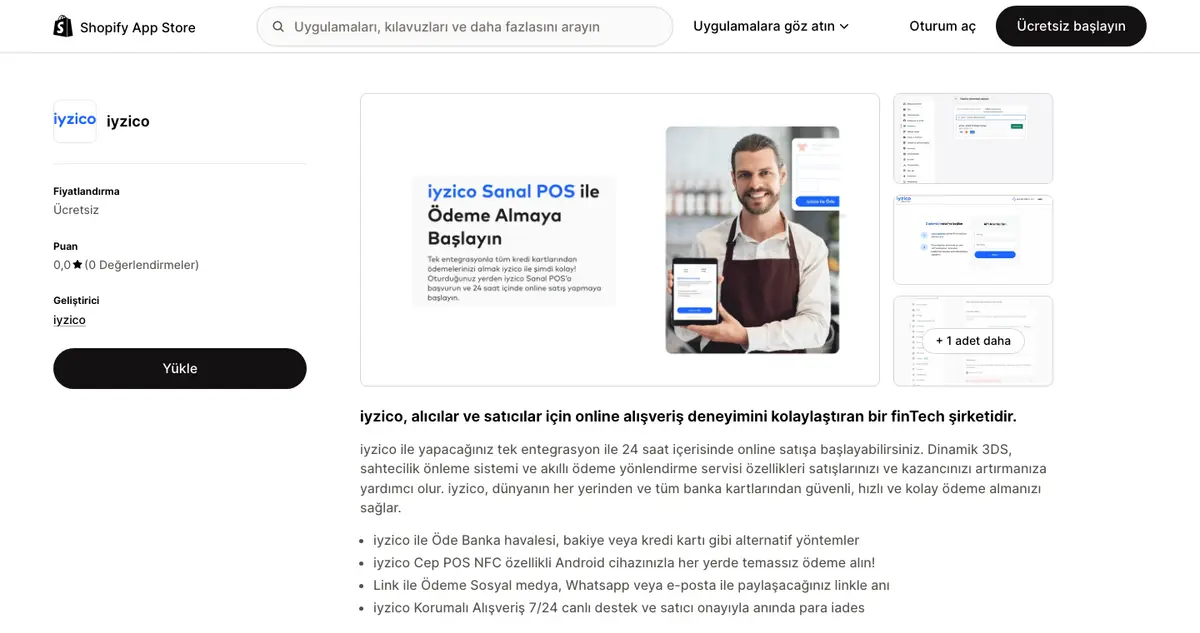
Both offer the same core service and differ on pricing and add-ons. PayTR ties its rate to the valör: the later you take the money, the lower the commission. Per its signup page, iyzico pays out weekly, on the first Wednesday after a 2-day hold.
When iyzico comes out ahead
- You plan to accept foreign-currency payments from customers abroad (multi-currency add-on).
- You'll also sell via payment links on Instagram or WhatsApp, outside Shopify.
- Many of your customers use the iyzico wallet and pay fast with saved cards.
- You want the official Shopify app built by iyzico itself (iyzico Shopify app).
When PayTR comes out ahead
- The lowest advertised rate is the priority, and cash flow can absorb a 7-day valör.
- You want a next-day payout option.
- Nearly all sales are on cards issued in Turkey.
Our position: for a store in its first 6 months, with monthly card revenue still unclear, rate negotiation is premature. Pick the provider that approves fastest and fits your company structure. Once revenue settles, renegotiate against the second provider's quote.
Commission and valör comparison 2026
PayTR advertises commission from 2.19% with a 7-day valör. iyzico advertises 4.29% + 0.25 TL per successful transaction for corporate sellers with monthly sales above 20,000 TL. On a 1,000 TL sale, the difference is 21.25 TL. Both set the final rate per business.
The table below combines the starting terms each provider advertises on its own site. Values were read from the official iyzico and PayTR pages on November 18, 2026; get your own quote from both in writing.
Advertised rates vs the actual contract rate
| Criterion | iyzico | PayTR |
|---|---|---|
| Starting rate (corporate) | 4.29% + 0.25 TL (monthly sales above 20,000 TL) | From 2.19% (7-day valör) |
| Payout timing | Weekly; first Wednesday after a 2-day hold | 7-day valör or next-day payout |
| Seller without a company | Payment links only (4.49% + 0.25 TL) | Ask PayTR when applying |
| Foreign-currency collection | Multi-currency add-on, 99 TL/year; converted to TL | Ask the provider |
| How the rate is set | Custom quote for corporate sellers | By sector, volume and average basket |
| Shopify app | Official, built by iyzico | Official, built by PayTR |
| Payment page | Provider's payment page | PayTR shared payment page |
Sources: iyzico signup page, iyzico help center, pricing, PayTR Virtual POS, PayTR Shopify developer docs.
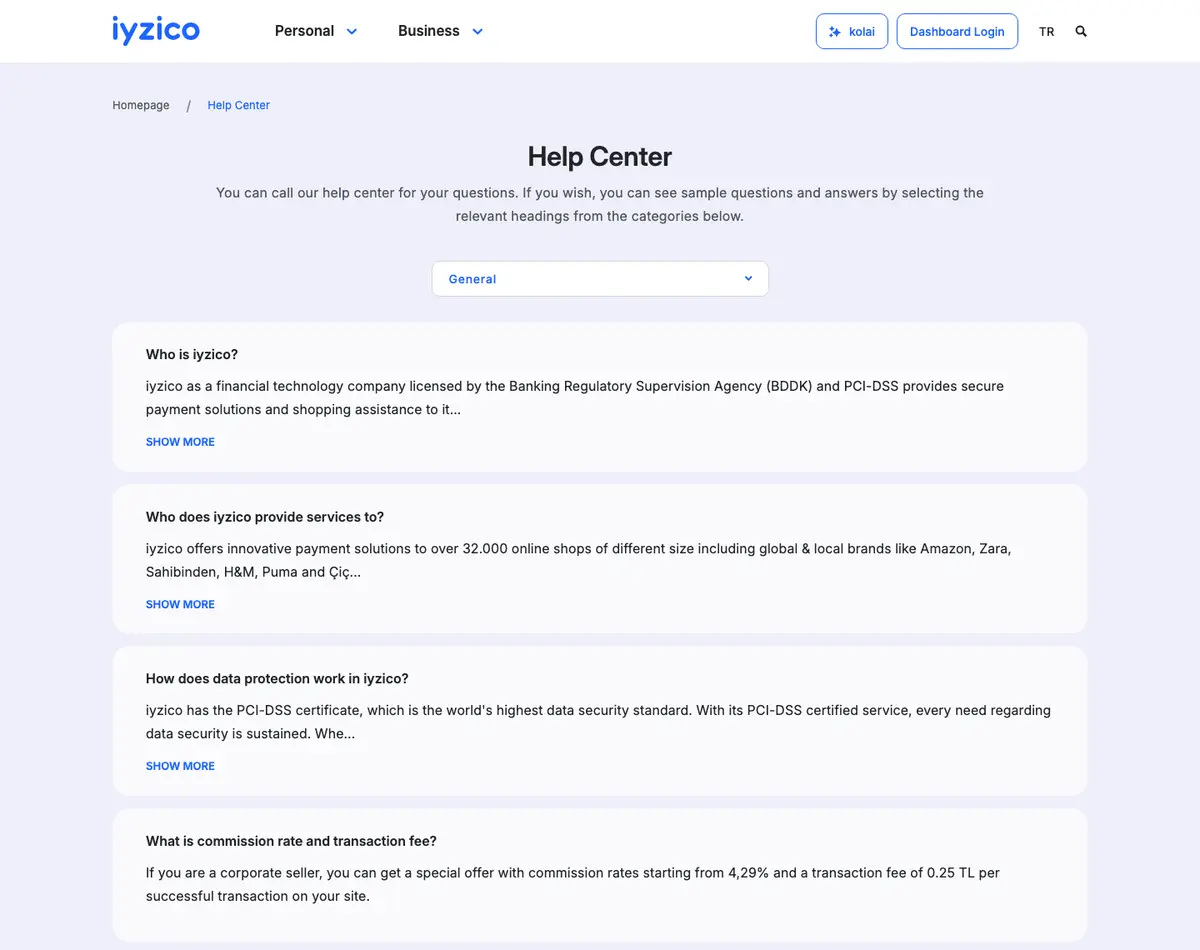
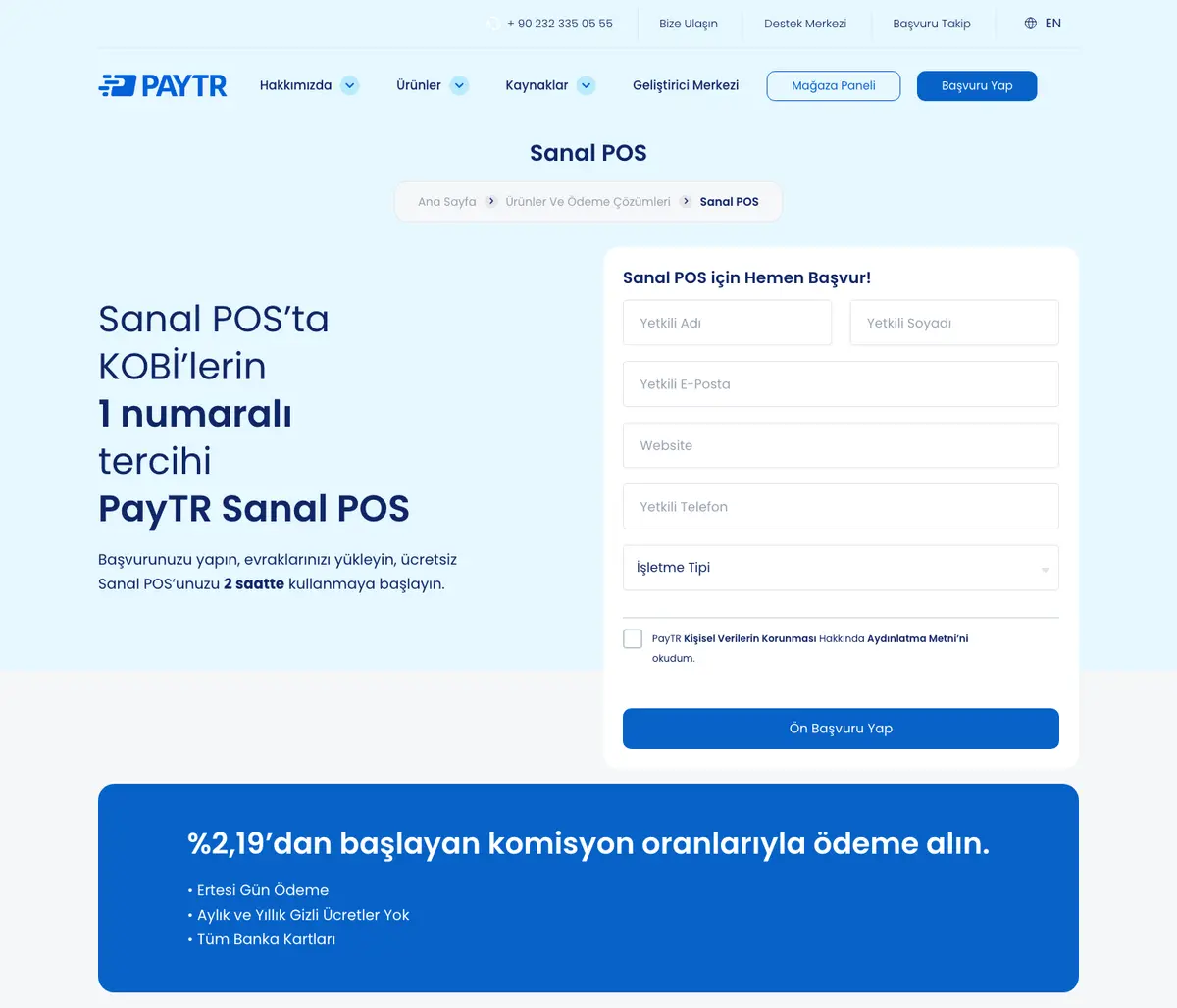
In Turkey, a gap between advertised and contract rates is normal. PayTR says on its site that a business's rate depends on sector, transaction volume and average basket; iyzico also quotes corporate sellers individually. Most old rate tables online are out of date: iyzico's official page shows 4.29% today, while third-party sites quote anything from 2.29% to 3.99%. Take the rate from the provider's own page or a written quote.
Settlement period: next day or 7 days
The valör is the time from a card sale until the money reaches your account. Payment institutions trade it against commission: next-day payout costs more than a 7-day or longer valör. Vergimerkezi's November 2025 roundup puts the market average for next-day payout at 2.80% to 3.90% (Vergimerkezi).
Choosing a valör is a cash flow decision. A store that buys stock upfront and pays its supplier within 15 days won't feel a 7-day valör. For a store selling on pre-order or funding ads from daily sales, the higher next-day commission can cost less than a cash crunch.
Total deductions on a 1,000 TL sale (Shopify transaction fee included)
Shopify Payments isn't available to companies in Turkey, so every Shopify store on iyzico or PayTR also pays Shopify a plan-based transaction fee on top of the provider's commission. The figures below use advertised starting rates.
| Scenario | Provider fee | Shopify Basic (2%) | Shopify Grow (1%) | Total (Basic) | Total (Grow) |
|---|---|---|---|---|---|
| PayTR (7-day valör) | 21.90 TL | 20 TL | 10 TL | 41.90 TL | 31.90 TL |
| iyzico corporate | 43.15 TL | 20 TL | 10 TL | 63.15 TL | 53.15 TL |
At advertised rates the providers differ by 21.25 TL per 1,000 TL, twice the 10 TL the same store saves by moving from Basic to Grow. Provider and plan are separate decisions, and both change the total; we worked out the plan upgrade thresholds in our Shopify transaction fees article.
For a store with a 1,000 TL average basket and 400,000 TL monthly card revenue, the gap between advertised rates is about 8,500 TL a month. A written quote can narrow it; when asking iyzico for one, use PayTR's advertised rate as leverage. If you want payments built together with order, refund and accounting flows, our Shopify integration solutions team launches iyzico and PayTR connections with test orders and refund scenarios. For setup details, see our Shopify iyzico integration and Shopify PayTR integration guides.
Shopify integration: setup, payment page and order sync
iyzico and PayTR connect to Shopify through official App Store apps, each built by the provider itself. You set them up under Settings > Payments; after Shopify checkout, the customer enters card details on the provider's payment page. What really needs checking in both is not setup but how refunds reach the Shopify order.
Setup takes under 30 minutes. The slow part is account approval and running test orders before going live.
Official apps and setup steps
iyzico: Per iyzico's Shopify documentation, go to Settings > Payments in the Shopify admin, search providers for "iyzico", install the app and enter your iyzico merchant details. Finally, enable "iyzico - Enable Credit and Debit Cards". Skip this and the app looks installed, but no card option appears at checkout. iyzico's Shopify app handles 3D Secure and fraud checks on its side.
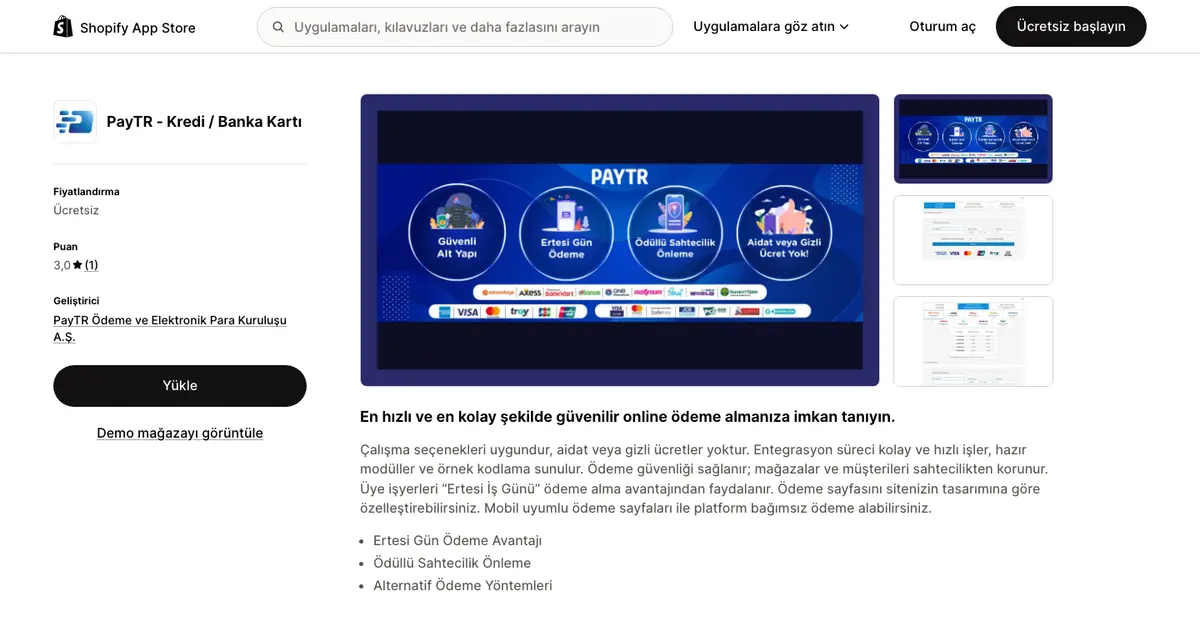
PayTR: After installing the PayTR Virtual POS app, enter the store number and API keys from your PayTR merchant panel. Per PayTR's developer documentation, Shopify payments are taken on PayTR's shared payment page, and the payment page settings recommended in the PayTR panel must be applied.
| Checkpoint | iyzico | PayTR |
|---|---|---|
| App developer | iyzico | PayTR |
| Where card details are entered | Provider's payment page | PayTR shared payment page |
| Activation step | "Enable Credit and Debit Cards" turned on separately | API details and panel settings |
| Integration support | iyzico integration team | PayTR support channel |
Run at least three test orders before launch: a single payment, an instalment payment and a cancelled order. Our Shopify test payment guide shows how to set up a test environment.
Refund flow: Shopify or provider panel
Refunds are where both integrations break most often. A refund started in Shopify goes to the provider through the app, and the order record and money movement update together. A refund made in the provider's own panel doesn't always reach the Shopify order. App Store reviews of the PayTR app report that refunds made in the PayTR panel don't appear on the Shopify order.
In our setups, refund testing is mandatory: we refund the test order from Shopify, first partially and then fully, then check that the provider panel and bank statement show the same amount. It takes 15 minutes and saves hand-fixing hundreds of orders in your first campaign week.
Managing instalments and instalment surcharges
With instalments, the bank's instalment surcharge is either passed to the customer or absorbed by the store; iyzico and PayTR support both. Per the TCMB's November 2026 table, the maximum rate banks may charge on a single-payment credit card transaction is 3.56%, and each additional instalment adds 1.78 points to that cap. The real Shopify problem is that a surcharge passed to the customer doesn't appear on the Shopify order.
In Turkey, instalments are a payment habit that directly drives basket size. For a store selling high-priced products, dropping instalments loses sales, and mispricing them loses profit.
Who pays the instalment surcharge
| Model | Customer pays | Store receives | When it makes sense |
|---|---|---|---|
| Surcharge on the customer | Product price + surcharge | Product price − single-payment commission | Low margin, high basket |
| Surcharge on the store (instalments at cash price) | Product price | Product price − instalment commission | High margin, campaign period |
| Mixed (store covers first 3 instalments) | Product price up to 3 instalments, surcharge after | Depends on instalment count | Competitors offer "3 instalments at cash price" |
At the TCMB cap, a bank can charge at most 7.12% on 3 instalments and 12.46% on 6 (3.56 + 1.78 per additional instalment; excluding BSMV, Turkey's banking transaction tax). Payment institutions set instalment rates by contract. Still, the table shows how costly absorbing the surcharge can be: selling a 1,000 TL product in 6 instalments at cash price means a 124.60 TL deduction at the cap.
How the surcharge shows up in the Shopify order
A surcharge passed to the customer is added on the provider's payment page. The Shopify order shows the product amount, but the card is charged more. That gap causes mismatches in the e-invoice amount, the accounting entry and Shopify reports. Our guide to instalment surcharges in Shopify orders shows how to record it on the order.
Our position: set your instalment policy before choosing a provider. If customers pay the surcharge, check how the provider shows its instalment table on the payment page; if the store absorbs it, check the instalment rates. Both providers price instalments on a separate table from single payments, so don't assume the cheaper single-payment provider is also cheaper for instalments.
Application, documents and individual sellers
For card payments at Shopify checkout, both providers require an application with company documents; a sole proprietorship (şahıs şirketi) is enough. Per iyzico's signup page, individual accounts without a company can only use payment links. The most common cause of delayed approval at both is not documents but missing legal pages: the distance sales agreement (mesafeli satış sözleşmesi), return policy, privacy policy and contact details must be live before you apply.
The payment institution checks two things: who the seller is and whether the store complies with consumer law. Documents prove the first, the site itself the second. If the site doesn't show prices, delivery times and a return address, the application waits even with complete documents.
Documents required for the application
| Document | Sole proprietorship | Limited / joint-stock company |
|---|---|---|
| ID | Owner's ID | Authorized signatory's ID |
| Tax certificate (vergi levhası) | Required | Required |
| Signature declaration / circular (imza beyannamesi / sirküleri) | Signature declaration | Signature circular |
| Trade Registry Gazette (Ticaret Sicil Gazetesi) | Not required | Required |
| Bank account (IBAN) | In the owner's name | In the company's name |
| Website | Legal pages live | Legal pages live |
Providers may change the list on their application screens; check the iyzico and PayTR application pages before applying. Our Shopify iyzico integration guide has the full iyzico document list.
A realistic path for sellers without a company
At iyzico, someone without a company opens an individual account and can only use payment links; links don't connect to Shopify checkout, so each order needs its own link. That's enough to test a few orders, not to run a regular Shopify store. Under Turkish tax law, continuous selling generates commercial income and requires tax registration; selling via links doesn't remove that obligation.
Our recommendation: set up the sole proprietorship before launching the store and apply for card payments in the company's name. Forming it and registering for tax usually takes a few business days, and payment approval follows. Store design and product entry fill that time, so you can sell the day approval arrives.
Foreign cards, currencies and Amex
A Shopify store in Turkey can take foreign card payments through iyzico or PayTR; per the TCMB, the maximum merchant fee banks may charge on cards issued abroad is 1.90%. iyzico's help center lists USD, EUR, GBP, CHF, NOK and RUB alongside TL; per its signup page, foreign-currency collection needs the 99 TL/year multi-currency add-on, and foreign-currency payments are converted to TL for a conversion fee. The Shopify limit: payment is collected in the store's primary currency.
Most accounts don't accept foreign cards by default. Ask the provider in writing whether foreign cards are enabled on your merchant account and at what rate.
Foreign-currency collection and Shopify's currency limit
On Shopify, letting customers pay in their own currency requires Shopify Payments (Shopify pricing page). A store on iyzico or PayTR collects in its primary currency. If that's TL, a German customer may see euro prices but is still charged TL, converted by their bank at its own rate.
| Setup | Customer sees | Card is charged | Risk |
|---|---|---|---|
| TL store, foreign card | TL price | TL | Customer doesn't know the rate, may abandon cart |
| TL store, euro shown in storefront | Euro price | TL | Statement differs from site, dispute risk |
| Separate store with euro as primary currency | Euro price | Euro (if provider supports it) | Stock and content for a second store |
Amex and card brand differences
Payment institutions' American Express support can vary by currency. In a Shopify Community case, a store selling in euros couldn't accept Amex, and iyzico said Amex works only in the local currency (Shopify Community). If your foreign customers lean on Amex (US, UK), test this with the provider before launch.
Our position: if foreign sales are a small share of revenue, accepting foreign cards in a TL store is enough; add a product page note such as "Payment is taken in TL; your bank converts at its own rate." When foreign revenue grows, a separate-currency store or a foreign company structure comes up; decide that before choosing a provider.
Chargebacks, disputes and fraud control
A chargeback is a cardholder disputing a payment through their bank; if the dispute succeeds, the amount is pulled back from the store. iyzico and PayTR screen risky transactions at payment with 3D Secure and their own fraud checks. Once a dispute arrives, though, the store must defend it, and the strongest evidence is the delivery record.
Disputes run through the provider's panel: the provider notifies you, requests documents and forwards them to the issuing bank. Under card scheme rules a dispute can come months after the transaction, so keep order records for at least a year.
Dispute types and the store's evidence
| Dispute type | Example | Store's evidence |
|---|---|---|
| Fraud | "I didn't make this purchase" | 3D Secure approval record, IP and delivery address |
| Item not received | "My order never arrived" | Tracking number and delivery signature |
| Item different / defective | "The item doesn't match the description" | Product page, return policy, customer messages |
| Cancelled order | "I cancelled but got no refund" | Refund record and the provider's refund transaction |
For 3D Secure transactions, liability for fraud disputes usually shifts to the issuing bank. In "item not received" and "item different" disputes, 3D Secure doesn't protect the store; delivery and communication records decide.
Fraud control on the Shopify side
Shopify shows a fraud analysis on every order, but it only works as far as it sees card data, and since cards are entered on the provider's page, it is limited for stores in Turkey. In practice control has two layers: the provider's 3D Secure and risk score, and the store's own Shopify Flow rules (for example, tagging foreign orders above a set amount "on hold").
In our setups, the tracking number is written to the Shopify order automatically and sent to the customer as a notification. That record defends against "item not received" disputes and lets customers track the parcel before disputing.
Decision table: choosing by store profile
At advertised rates, PayTR starts cheaper for most Shopify stores selling in Turkey. If foreign-currency collection, payment links or reaching iyzico wallet users matters most, get a custom iyzico quote and compare it with PayTR's rate. Both require a company for card payments on Shopify.
The table sums up the article by store profile. Where it says "Either works", written quotes from both providers and application time decide.
| Store profile | Recommendation | Reason |
|---|---|---|
| No company | Sole proprietorship first | iyzico individual accounts only get payment links |
| Company set up, lowest rate first | PayTR | From 2.19% with a 7-day valör |
| Next-day payout required | Get a PayTR quote | PayTR offers next-day payout; get the rate in writing |
| Plan to collect in foreign currency | Get an iyzico quote | Multi-currency add-on (99 TL/year) |
| Also selling via links on social media | iyzico | Payment links from the same account |
| High basket, mostly instalments | Either works | Compare instalment rate tables |
| High monthly card revenue, direct bank relationship | Consider a bank virtual POS | Needs a custom payment app |
Our assessment: both providers have official Shopify apps, so integration doesn't change the choice. At 2026's advertised rates, PayTR is the default; choose iyzico if its add-ons (currency, links, wallet) help you and its quote comes close to PayTR's.
Using both providers together
Shopify allows only one credit card provider to be active at a time. You can't offer iyzico and PayTR side by side as card options at checkout. To work with both, keep one active and the other's account open as a backup.
Per Shopify's help page, a store can enable only one credit card provider at a time. Manual methods such as bank transfer (havale/EFT) and cash on delivery keep working alongside it.
Backup provider setup
A backup provider lets you resume sales within hours if the active one has an outage, reviews your account or holds funds. It works like this:
- Apply to the second provider and get the merchant account approved.
- Install its Shopify app and enter the API details, but don't activate it.
- If the active provider has a problem, deactivate it and activate the backup.
- After switching, place a test order and check the refund flow.
A backup helps most when the active provider freezes your account for review, which a sudden revenue spike on big campaign days can trigger. The second benefit is negotiation: a provider that knows you have a second account ready is more open to rate talks. If you want a redundant payment setup with a switchover plan, our Shopify integration solutions team sets up both providers and runs the switchover test.
Frequently asked questions
Is PayTR or iyzico cheaper?
At advertised rates PayTR starts cheaper: 2.19% with a 7-day valör, versus 4.29% + 0.25 TL for an iyzico corporate seller. On a 1,000 TL sale the difference is 21.25 TL. Both set rates per business; compare two written quotes based on the same revenue and payout period.
I don't have a company. Can I take card payments on Shopify?
Card payments at Shopify checkout require a company; a sole proprietorship is enough. Per iyzico's signup page, individual accounts can only use payment links (4.49% + 0.25 TL), which don't connect to Shopify checkout. Set up a sole proprietorship before launch.
Can I use iyzico and PayTR at the same time on Shopify?
No. Shopify allows only one active credit card provider. You can get the second account approved and install its app without activating it, as a backup. Bank transfer (havale/EFT) and cash on delivery work alongside the card provider.
What is valör, and which should I choose?
Valör is how long a card sale takes to reach your account. Next-day valör speeds up cash flow but costs more commission; a 7-day or longer valör gets a lower rate. If your supplier payment terms exceed 7 days, choose the longer valör.
Do PayTR and iyzico accept foreign cards?
Both offer foreign card acceptance, but most accounts need it enabled separately. At iyzico, foreign-currency collection needs the 99 TL/year multi-currency add-on, and foreign-currency payments are converted to TL for a conversion fee. Shopify collects in the store's primary currency; get the foreign card rate in writing.
Why doesn't the instalment surcharge show on the Shopify order?
A surcharge passed to the customer is added on the provider's payment page, while the Shopify order shows the product amount. So the card charge and the Shopify record differ. Base e-invoices and accounting on the amount in the provider panel.
Conclusion
PayTR and iyzico are two licensed payment institutions doing the same job for a Shopify store, both connected through an official app. At rates advertised on November 18, 2026, PayTR (2.19%, 7-day valör) starts clearly cheaper than iyzico (4.29% + 0.25 TL). iyzico stands out for foreign-currency collection, payment links and its wallet; if you need those, get a custom iyzico quote and compare it with PayTR's rate. Both require a company for card payments.
Whichever you choose, Shopify allows one card provider at a time. Start refunds from Shopify, record instalment surcharges separately in your books and keep the second provider's account as a backup.
Next, use the tables in our Shopify transaction fees article to calculate your total deductions including Shopify's plan-based fee. If you want payments set up together with refund, instalment and accounting flows, book a call with us.