Across the store portfolio we manage at Nodus Works, most technical support requests come from three sources: a section that breaks after a theme update, an order flow that stops after an integration is installed, or a team watching its PageSpeed score drop without knowing why. Shopify consulting is the set of services that identifies and fixes problems across the theme, integration, conversion and store operations layers, and maintains a technical foundation that fits the store's growth strategy. In this guide we cover how to choose the right consulting firm, what the service includes, typical resolution times for each layer, and the management tools involved.
How Do You Choose the Right Shopify Consulting Firm?
There are plenty of agencies and freelancers offering Shopify consulting. The difference between them is rarely visible in the first meeting; it shows up in the first crisis. The five criteria below let you test in advance whether a consulting firm will stay reliable after the contract is signed.
Important: Be wary of Shopify consulting offers that promise a "guarantee". In e-commerce no agency can guarantee a specific revenue figure or ranking; such promises are unrealistic and also legally problematic. Reliable consulting firms define their commitments in terms of target metrics and quality of execution, not guaranteed revenue.
Industry references and technical audit capability are two criteria you can test in a single meeting before signing a contract. Store owners who skip them usually learn the firm's real competence during the first crisis.
What Do Shopify Consulting Solutions Cover?
Shopify consulting is not a one-size-fits-all service; the scope is narrowed or widened depending on the store's stage. The consulting solutions Nodus Works offers cover four core areas: technical setup and architecture, SEO and technical optimization, conversion rate optimization (CRO), and ongoing consulting.
Technical setup and architecture covers Shopify plan configuration, theme selection, payment and shipping integrations, the e-invoice connection and setup of the essential legal pages. Mistakes made here become many times more expensive later.
SEO and technical optimization includes URL architecture, meta title/description templates, schema markup and Core Web Vitals improvements. Shopify's default SEO settings are not enough on their own for search engine visibility.
Conversion rate optimization (CRO) covers the work that turns traffic into sales, from heatmap analysis to simplifying the checkout flow and from abandoned cart automation to social proof integration.
Ongoing consulting begins once setup is complete. Monthly analytics reports, A/B test design, new product launch support and seasonal campaign infrastructure are managed at this stage.
The most common reason stores come to us for consulting is "we have a store, but no sales". In most of these stores, a significant share of users who reach the checkout page leave without completing it. However broadly the scope of our Shopify consulting service is defined, prioritization always starts with the problem closest to revenue.
What Is Shopify Technical Support and When Do You Need It?
You need Shopify technical support at the point where fixing a problem that directly affects the store's revenue is beyond what the store owner can handle. These are usually scenarios that call for specific technical knowledge, such as Liquid debugging, third-party app conflicts or a broken API integration.
Tip: Create a backup theme before a theme update or a new app installation. Rolling back a section that broke on the live store always costs more than testing in a backed-up environment. Our guide to safe theme development and testing on Shopify walks through the process step by step.
Theme Problems and Storefront Maintenance
Most problems in the Shopify theme layer come from three triggers: a theme update, a new app installation or changes to custom Liquid code. Each of these is a change that should be tested in a staging environment before it touches the live store.

The most common theme problems we see at Nodus Works are JavaScript errors caused by app scripts conflicting with each other, customizations overwritten by a theme update, and section alignments that break in the mobile viewport. Fixing them involves finding errors in the browser console, measuring Liquid render time and reordering how apps load.
Important: In Shopify themes, the "Save" button pushes changes live immediately. Always develop major changes on a backup theme and move them live only after approval.
Theme maintenance has three elements that need regular attention: cleaning up leftover scripts that removed apps have left in the theme, checking whether the theme updates Shopify releases conflict with your existing customizations, and preserving the design decisions made during Shopify theme installation and customization. If recurring theme conflicts are a deep-rooted problem, moving to a theme that suits your store better brings less maintenance than patching the current one; the Shopify Theme Finder lets you compare themes that fit your needs before you make that decision. Our detailed guide to Shopify website editing and revision processes covers these steps in full.
If the store needs to be configured for more than one language or region, the theme layer carries that complexity. Store cloning is the lowest-risk way to move the existing theme and product structure to a new store.
Integration Setup and Maintenance
Most Shopify integration problems appear not during setup but after changes are made to the store: a theme update disables a pixel, the Shopify API version moves up and the ERP connection drops, or a new app is installed and the shipping webhook no longer fires.
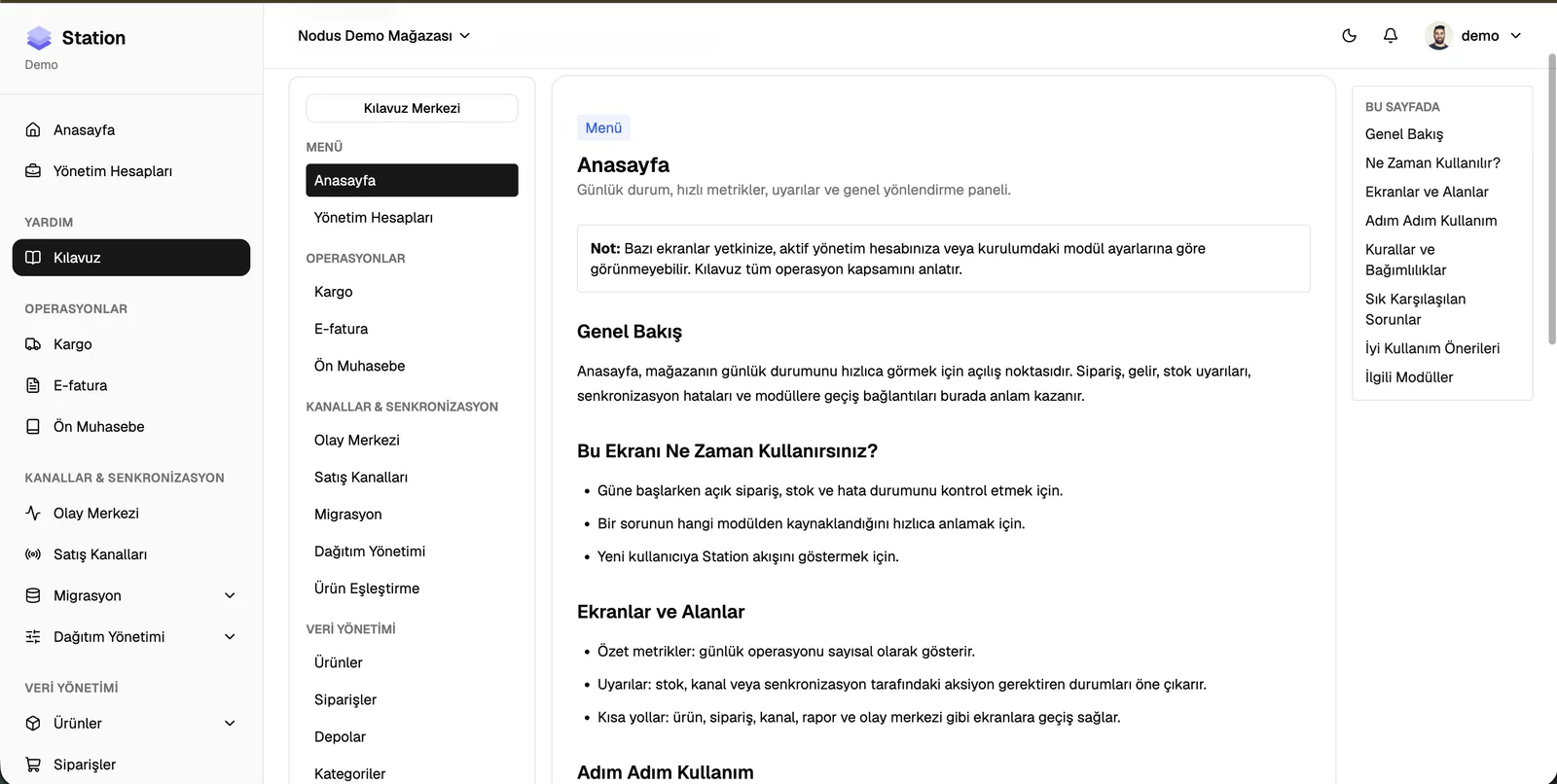
For integrations specific to the Turkish market, the scope we manage is as follows:
The most critical point in integration maintenance is Shopify API version updates. Shopify deprecates API versions every year, and ERP or accounting integrations tied to an old version can break during these transition periods. An active integration maintenance plan handles these transitions without stopping the store.
Performance and Speed Optimization

According to Google, a 1-second delay in mobile load time can cut retail conversions by up to 20%. Speed problems usually come from app scripts that were never removed, unoptimized images or synchronous JavaScript blocks that increase Liquid render time.
Metrics we monitor and where we intervene:
- LCP (Largest Contentful Paint): Hero image size and lazy load configuration
- INP (Interaction to Next Paint): Heavy JavaScript and piled-up event listeners
- CLS (Cumulative Layout Shift): Font loading and space reserved for images
- TTFB (Time to First Byte): CDN configuration and Shopify's server response time
- Total JS size: Unused and conflicting app scripts
The most common pattern we observe at Nodus Works: in stores with more than 5 apps installed, total JS size crosses the critical threshold, but nobody knows how much load each app adds. The browser's Network and Coverage tabs show the JS load each app adds; Shopify's built-in web performance dashboard lets you track how your Core Web Vitals change after events such as an app installation.
Our guide to Shopify speed optimization and site acceleration covers the technical steps of this process in detail.
Conversion Rate Optimization (CRO)
If traffic stays flat and sales do not grow, the problem is usually in the conversion funnel. This assumes traffic is already sufficient; if the problem is the traffic itself, Google Ads management or Meta ad management is the layer to address before CRO. CRO work starts with data: at which step are users lost, what is the ratio between add-to-cart and completed checkout, and is there a gap between mobile and desktop conversion?
In Turkey, shoppers look for an installment option on high-value carts; across the store portfolio we manage at Nodus Works, stores that do not offer installments see these carts abandoned at checkout noticeably more often. Even this single observation can set the starting priority for CRO work.
The main conversion points we work on are reducing the number of checkout steps, positioning trust signals on the product page, abandonment prevention on the cart page and simplifying the mobile payment flow. Our guide to Shopify conversion optimization and boosting sales covers every layer of this process.
Adding custom components (checkout UI extensions) to the information, shipping, and payment steps of checkout requires Shopify Plus; on standard plans, you can adjust branding settings in the checkout editor and add UI extensions to the Thank you and Order status pages. For assessing a move to Plus, see the next section.
Store Management: Admin Tasks and Operations Tools

Carrying out routine tasks in the Shopify admin quickly and without errors has a direct effect on store operations. Most tasks that take hours one by one can be done in bulk with Shopify's built-in tools or through the API.
Our guide to bulk product creation on Shopify explains product management with CSV import, the bulk editor and Shopify Flow. During campaign periods, price or stock updates for hundreds of products can be completed in minutes with these methods.
Creating manual orders on Shopify covers orders that come in by phone or WhatsApp, wholesale orders and cases that need customer-specific pricing. The manual order flow also creates the stock and payment records automatically.
When an agency or partner needs access, temporary access is set up with a Shopify collaborator code. Instead of sharing an admin account, this gives you a secure and traceable access model.
Tip: Before installing a new app, review the Shopify add-on and app installation process and the app's permission scopes. Apps that request unnecessary permissions create both a security risk and a performance burden.
Shopify Consulting: Architecture and Growth Decisions
At a certain growth threshold, the store's technical architecture raises decisions that need to be reassessed: which apps should be replaced with custom development, when does moving to Shopify Plus make sense, and how should the store move to a multi-language or multi-currency setup?
Getting these decisions wrong, or making them without regard to timing, creates direct costs. Moving to Plus too early means a platform fee of at least 2,300 dollars a month (on a 3-year contract), while moving too late shows up as conversions lost to the lack of checkout customization.
The main topics we address in consulting at Nodus Works are app architecture assessment (which tool should handle which function), Shopify Plus threshold analysis, multichannel sales structure (B2B + B2C in the same store) and preparing the technical infrastructure for growth periods.
To plan your Shopify consulting process with our team, our Shopify technical support and maintenance service analyzes your store's current state and identifies the priority areas for action.
FAQ: Shopify Consulting and Technical Support
What is the difference between Shopify consulting and technical support? Technical support fixes an existing problem (a broken theme, a dropped integration); consulting designs the store's growth strategy, architecture and priorities from the ground up. At Nodus Works, both are handled together by a single team.
How long does Shopify consulting take to deliver results? Theme and storefront errors are resolved within 1-3 business days, integration problems within 1-5 business days, performance optimization within 1-2 weeks and CRO work within 2-4 weeks. The timeline varies with the scope of the problem and the store's current setup.
Do you provide technical support for stores built by another agency? Yes. We can review the store's structure and get started. If the code from the previous build is undocumented, the process may take longer, which is why we begin with a technical assessment.
Is there a separate service model for Shopify Plus? Yes. For Plus stores we offer a separate service scope and pricing for Plus-specific areas such as checkout extensibility, unlimited B2B catalogs, deposits and partial payments.
How do I get urgent technical support? Stores on a retainer use the 4-hour priority support line; we track, prioritize and report on requests as tickets through our own Agencio panel. For one-off requests we assess the issue the same day, and the resolution time depends on the scope.
How is Shopify consulting priced? Every project is quoted at a fixed price based on its scope. Once you fill in the form, a custom quote is sent within 1 business day, with no surprise extra costs.
Do you only support Shopify stores? Yes. We specialize only in the Shopify ecosystem and do not support platforms outside it.
What cannot be guaranteed in Shopify consulting? No reliable consulting firm can guarantee a specific revenue increase, a Google ranking or a specific ROAS figure. Reliable firms commit to specific deliverables (an audit report, an integration handover, a monthly report) and to standards of execution.
Why does Partner status matter when choosing a Shopify consulting firm? Registering as a Shopify Partner is open to anyone; what sets partners apart are tiers such as Plus and Premier, and Verified Skills certifications. Working with a non-Partner provider carries risk, especially for payment integrations and data security.
Conclusion
Shopify consulting and technical support bring different layers under one strategic roof, from theme maintenance to integration management and from performance optimization to store operations. Problems in each layer may look independent, but they are usually connected: a slow store hurts both SEO and conversion, and a broken integration cuts off both the order flow and the accounting records.
To assess your store's technical health and identify the priority areas for action, you can contact our Shopify technical support service. If you are evaluating Shopify Plus, our guide What is Shopify Plus? covers the thresholds for moving and the cost-benefit analysis.





