Migrating from ikas to Shopify takes these steps: set up Shopify with the right currency, country and language, remap and import the product CSV using Shopify's template, install your theme and apps, add 301 redirects for old URLs, then test checkout and mobile view before launch. The biggest risk isn't data loss but losing SEO value without a 301 plan.
Migrating from ikas to Shopify: The Right Steps for Your E-Commerce Business
The biggest risk we see in stores moving from ikas to Shopify is not data loss but losing all their SEO value: ikas builds product and category URLs differently from Shopify, so stores that migrate without a 301 redirect plan lose a large share of their organic traffic. In this guide we cover the concrete data, URL and integration steps of an ikas to Shopify migration. We have collected the migration steps common to all platforms, from choosing a plan to the go-live checklist, in Migrating to Shopify: Our Complete Guide; here we focus on the data and URL differences specific to ikas.
Key Differences Between ikas and Shopify
ikas is a SaaS e-commerce platform built specifically for the Turkish market; Shopify is a global platform used in more than 175 countries and open to thousands of third-party integrations through the App Store. The difference is not only geographic reach; it also shows in the size of the app ecosystem and in how far the API can be customized.
For a store with a catalog of fewer than 500 products selling in a single market, ikas may be enough. As soon as you need cross-border selling, multiple currencies or custom integrations (ERP, accounting, marketplaces), Shopify's API flexibility makes the difference; when an integration cannot be solved without building a custom app, our Shopify integration solutions and custom app development service builds the connections that are not possible on ikas.
Critical Note: The product CSV file exported from ikas does not match the column format Shopify expects (the variant structure and SKU mapping differ). Uploading it directly usually throws errors; the file first has to be remapped to the Shopify template.
Preparation and Planning Before You Decide to Migrate
Growth goals, not the technical team, should drive the decision to migrate: if you do not need cross-border selling, custom integrations or theme flexibility, it makes more sense to postpone the migration.
Needs Analysis and Goal Setting
Before you start the move from ikas to Shopify, be clear about your target markets, your growth expectations and your current integration needs. If you plan to sell abroad, the multi-currency and tax management in Shopify Markets will be directly useful; if you only target the local market, the return on migrating is more limited.
Assessing Your Existing Data (Products, Customers, Orders, Inventory)
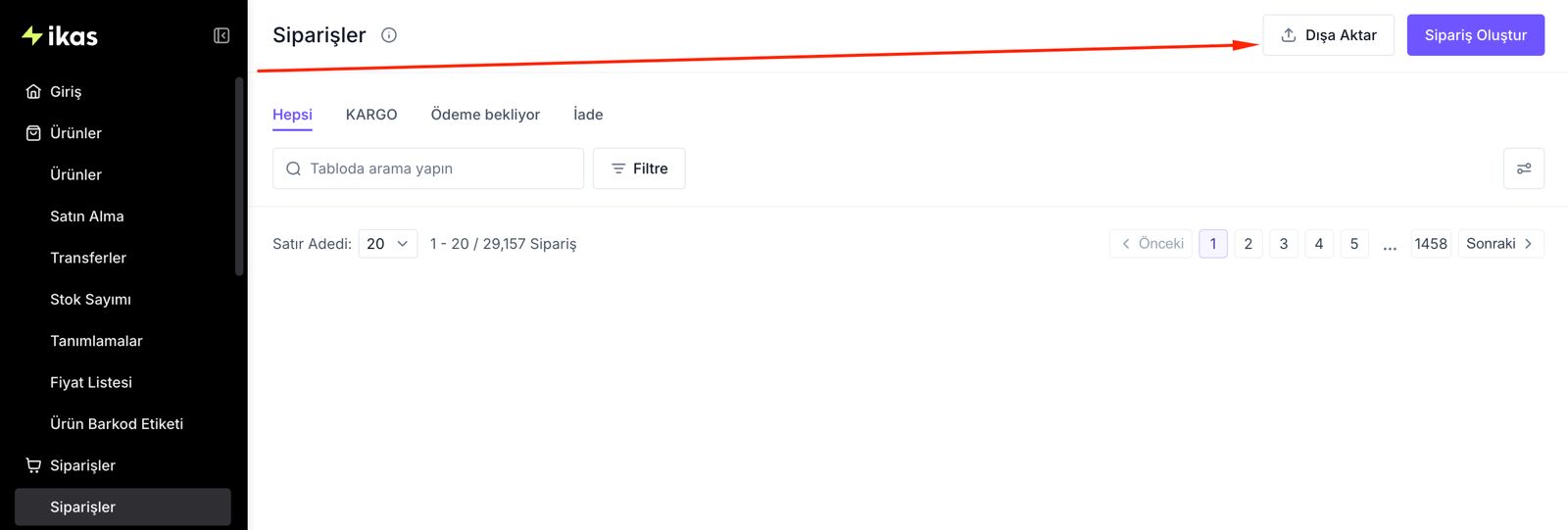
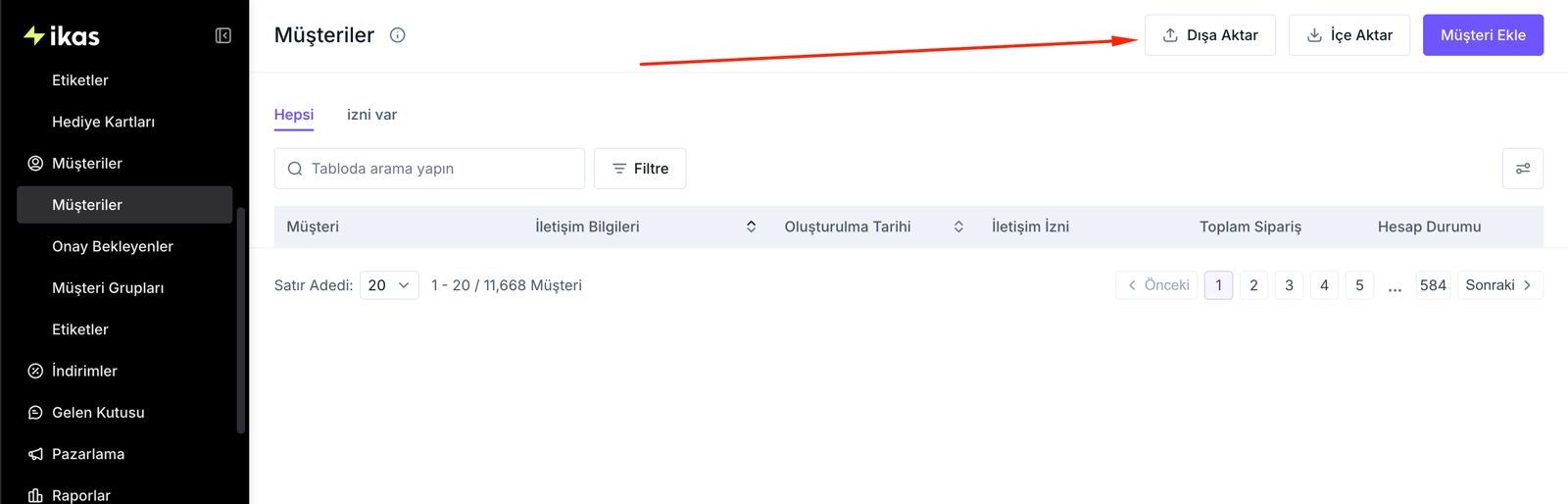
The data types you can export from the ikas panel and their Shopify equivalents are as follows:
Not moving order history to the platform causes no real problems in practice; keeping the ikas panel active for a while longer is enough for accounting and reporting. What matters is cleaning up product and customer data before the migration: inactive products, duplicate customer records and missing SKUs directly increase the error rate after the move.
Steps to Migrate from ikas to Shopify
Before any data is transferred, the Shopify account has to be set up with the correct currency, country and language settings; if these are changed later, historical order data and reporting can become inconsistent.
Creating Your Shopify Account and Basic Setup
After opening a new store account on Shopify, the first areas to configure are payment methods, shipping zones and tax settings. For stores selling from Turkey, setting the correct VAT rates by product category is the step most often skipped after the migration.

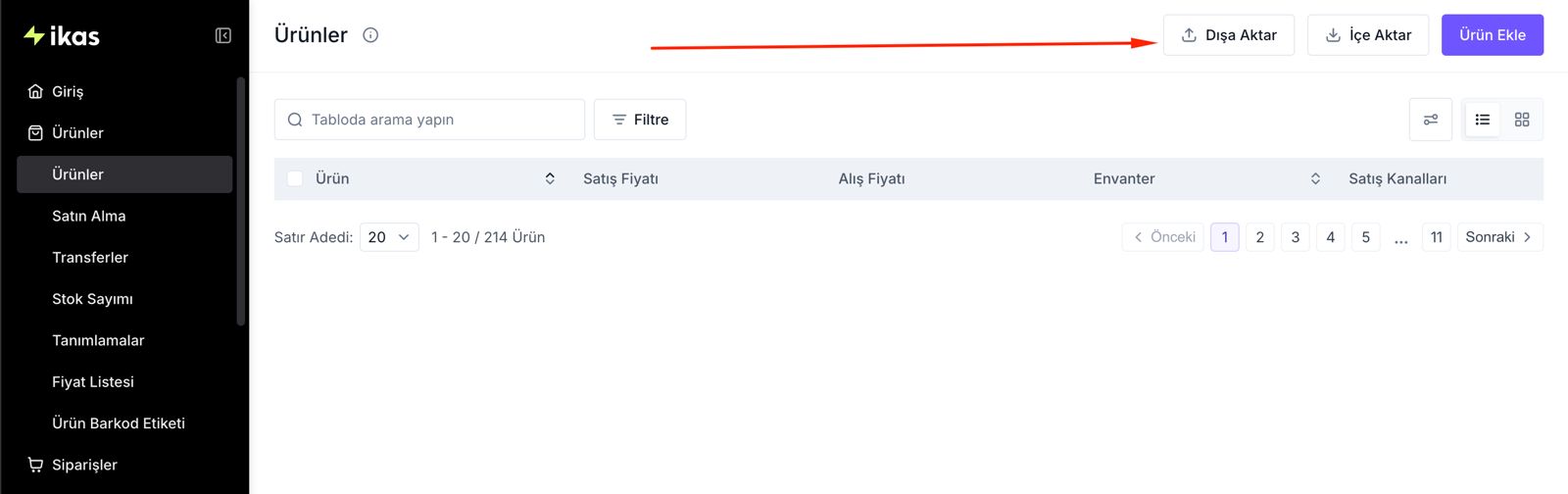
Product and Data Transfer: Manual and Automated Methods
There are two ways to move products from ikas to Shopify: remap and upload the CSV file manually, or use a bulk data transfer app such as Matrixify. Because Matrixify automates variant and metafield mapping, it saves a significant amount of time over the manual method for stores with more than 200 products.

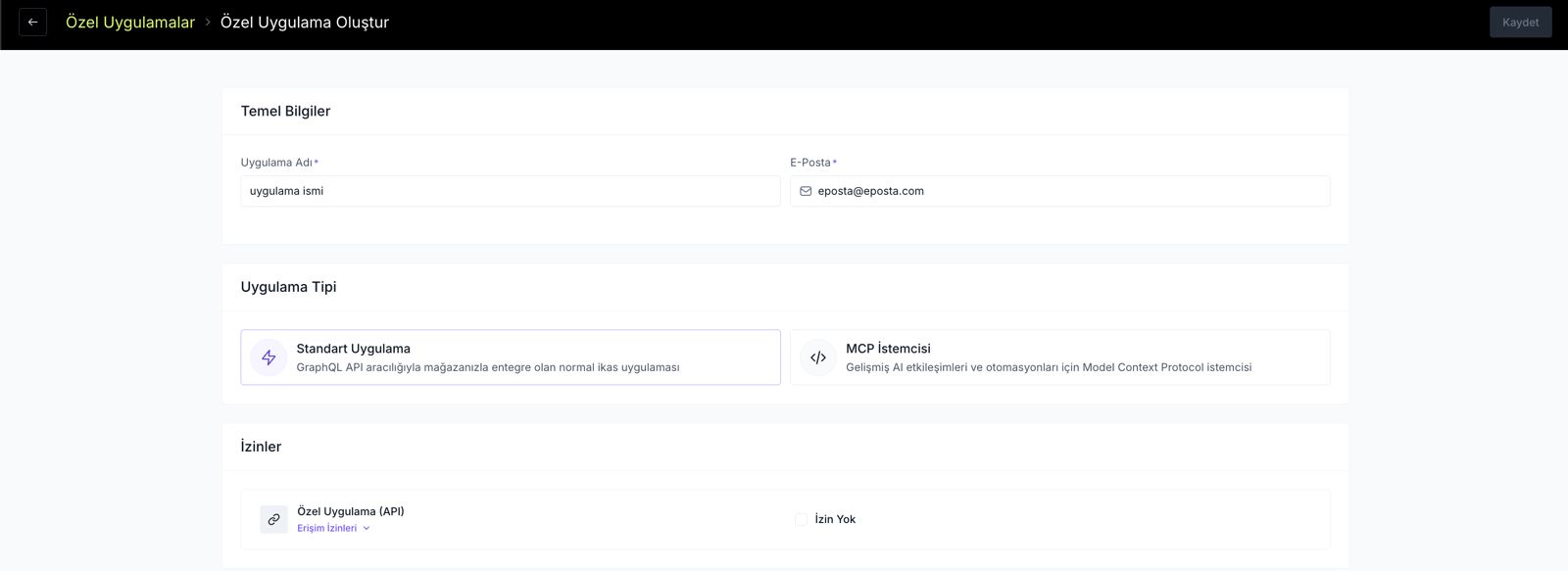
Design and Store Customization: Choosing and Editing a Theme
The theme used on ikas cannot be moved to Shopify directly; the store is built from scratch with a theme chosen from the Shopify Theme Store or with custom Liquid development. Mobile compatibility and page speed are the two theme criteria that directly affect SEO. To see which theme fits your catalog in a few questions, you can use the Shopify Theme Finder tool.
Adding Functionality with Apps and Plugins
Many of the integrations that are not available on ikas (advanced email marketing, loyalty programs, shipment tracking automation) can be added in one click from the Shopify App Store. When choosing an app, measure its impact on page speed after installation; every app adds extra JavaScript.

What Should You Watch Out for to Migrate Without Problems?
Preserving SEO and URL Structure / Redirects
The most common mistake when moving from ikas to Shopify is failing to preserve old product and category URLs. ikas publishes product and category pages at the root of the domain (for example, /product-name), while Shopify uses the /products/product-name and /collections/category-name formats; if you migrate without mapping out 301 redirects for this difference, it leads straight to lost indexing.

A Risk to Avoid: In a store with hundreds of products, setting up 301 redirects one by one by hand wastes time and risks missing some. In migrations done without a bulk redirect rule (regex-based) or professional support, "404 error" reports in Google Search Console rise noticeably in the first week after the move.
Customer Experience and Order Continuity
Migrating during low-traffic hours (such as 02:00-05:00 at night) keeps the number of users with active carts to a minimum. After the migration, checkout pages, account login and the mobile view must be tested before going live.
Site Speed, Security and Performance Checks
Shopify's infrastructure is PCI-DSS compliant and provides an SSL certificate automatically; even so, the theme you choose and the number of apps you install directly affect page speed. Measuring Core Web Vitals with PageSpeed Insights after the migration is necessary to see which app is adding load.
What We Do as Part of Nodus Works' Shopify Migration Service
In ikas to Shopify migration projects, we carry out the following steps:
- Data audit and clean-up: Before mapping product, customer and category data to the Shopify format, we weed out inactive or faulty records.
- 301 redirect map: We map the old ikas URL structure one-to-one to the Shopify URL structure so your SEO value is preserved.
- Theme and integration setup: Choosing a theme that fits your brand identity, payment/shipping integrations and custom app development where needed.
- Go-live testing: We test payments, the mobile view and the order flow end to end before going live.
We cover the platform-independent steps of this process (choosing a plan, DNS setup, go-live checklist) in detail in our Shopify Migration Guide.
FAQ
Is it difficult to migrate from ikas to Shopify? It is not technically difficult, but the data mapping and URL redirect steps need care. Incorrect mapping of the product CSV format and missing 301 redirects are the most common migration mistakes.
How long does the migration take? For stores with fewer than 500 products, the technical migration usually takes 2-3 weeks; for larger catalogs and stores that need custom integrations, it takes 4-6 weeks.
Will my ikas order history move to Shopify? Order history is moved not by CSV but with a migration app (LitExtension, Matrixify) or the API. Most stores keep the ikas panel as read-only for a while longer for accounting and reporting.
Which data can be moved from ikas to Shopify? Products, categories and customer records can be moved via CSV. Order history and some custom fields (ikas-specific data that needs to become metafields) require manual mapping.
Will my store be offline during the migration? No. When the migration is done during low-traffic hours and with a DNS switch, the store stays open without interruption; a short maintenance window may be needed only for the final sync.
Ready to Move to Shopify?
Migrating from ikas to Shopify makes sense once you need cross-border selling, custom integrations or advanced theme control. Stores that migrate without a proper 301 map and data clean-up lose their SEO value; that is why the migration should be planned not as a "platform change" but as a data and URL engineering project.
Get in touch with us today and let's plan your ikas to Shopify migration together.





