When a client asked us last month, "How do I remove Shop Pay from my store? It doesn't work at all," we first asked why it wasn't working. The answer was brief: they hadn't been able to activate Shopify Payments with their company registered in Turkey. This is one of the most common points of confusion for Turkish Shopify users. Shop Pay is Shopify's accelerated checkout and digital wallet system; it is offered alongside Shopify Payments in most stores, and since Turkey is not on the list of countries supported by Shopify Payments, it cannot be truly used in Turkey-based stores. This is not a malfunction, but a restriction based on country and business eligibility. In this guide, we cover from end to end what Shop Pay is, what it is not, why it cannot be used in Turkey, how it is activated, and how it can be completely disabled.
What is Shop Pay?
Shop Pay is Shopify's own accelerated checkout and digital wallet system that allows customers to save their card and delivery information once and make one-click payments in all Shopify stores that support Shop Pay. There are two main components that make up Shop Pay and a third product it integrates with; these are often confused with one another.
Accelerated checkout button: The purple "Shop Pay" button that appears on product and cart pages takes the customer directly to the payment step, skipping the standard checkout flow. This button works in the same category as other fast payment methods like Apple Pay and Google Pay; the difference is that it is specific to Shopify and remembers saved information across all Shopify stores.
Digital wallet (saved information): When a customer makes a payment with Shop Pay in any Shopify store, their card and address information is encrypted and stored within the Shopify infrastructure. When the same customer shops at a different Shopify store, they do not need to re-enter this information; this turns Shop Pay into an inter-store identity/wallet system rather than a single-store feature.
Shop App integration: Purchases made with Shop Pay are automatically converted into order tracking in the Shop mobile app and may be eligible for Shop Cash rewards (during certain promotional periods and in eligible countries). The Shop App is an independent consumer application that does not depend on Shop Pay, but purchases made with Shop Pay are seamlessly transferred to this app.
Critical Note: Shop Pay is not a payment processor. The system that actually collects the money, communicates with the bank, and approves the transaction is Shopify Payments (or the other gateway it is connected to); Shop Pay is merely a fast and familiar interface placed in front of this process. We detail this distinction in the next section because the root of the inability to use it in Turkey lies exactly here.
Do Not Confuse Shop Pay with Shopify Payments
Shop Pay is a checkout experience, while Shopify Payments is the payment infrastructure behind that experience; they are separate layers, and confusing one with the other will lead you to the wrong answer to the question, "How do I turn on Shop Pay?"
Shopify Payments is Shopify's native payment processor: it handles credit card transactions directly through the Shopify infrastructure, does not require a separate third-party gateway setup, and exempts stores from the additional transaction fees (0.5%–2% depending on the plan) applied to stores using third-party gateways. Shop Pay, on the other hand, is a user experience layer that sits on top of this processor: it saves card information, fills it in with one click, and remembers it across stores. If your Shopify Payments is active, Shop Pay comes enabled by default. Shopify documents that in certain countries (currently only the US, France, and Australia), Shop Pay can be enabled with a third-party payment provider for stores that meet eligibility requirements; however, this exception does not apply to Turkey and is not a practical path for small-to-medium-sized stores. In practice, the rule that applies to almost all stores in Turkey is this: if Shopify Payments is not active, Shop Pay will not work either.
The reason these two are often confused is not their similar names, but their placement in the interface: in the Shopify admin panel, the Shop Pay setting is located in a sub-menu within the Shopify Payments settings. When a store owner enters the "Payments" section and sets up Shopify Payments, they see Shop Pay appear there automatically and assume they are a single feature. In reality, one (Shopify Payments) is like the pipeline that carries the water, and the other (Shop Pay) is like the faucet handle placed on top of that pipeline; the pipe works without the handle, but the handle has no function without the pipe.
Why Can't Shop Pay Be Used in Turkey?
The reason Shop Pay cannot be truly used in stores in Turkey is that Shopify Payments is not on the list of countries supported by Turkey. Since Shop Pay is offered alongside Shopify Payments in most stores, Shop Pay is effectively disabled in any store where this processor is not active.
Shopify does not share a clear public timeline regarding why Shopify Payments has not yet been offered for Turkey or when it will be; it only mentions country-based eligibility requirements and that stores not on the country list must use a third-party payment provider. We cover the current status of Shopify Payments in Turkey and developments to date in our Shopify Payments Turkey guide as well.
Are There Exceptions for Turkey-Based Stores?
Yes, but simply establishing a company abroad is not enough; you must set up a truly eligible business structure in a country where Shopify Payments is supported and fully meet that country's verification requirements (such as business type, business address, identity verification, and a local bank account). For example, applying under the "sole proprietor" category in the US involves additional requirements, such as the individual being a resident of the US. Because this path requires international company formation, opening a foreign bank account, and managing tax and accounting processes, it is a viable option only for brands that plan to scale internationally and can afford these costs.
A Risk to Avoid: In Shopify's standard theme behavior, the accelerated checkout buttons displayed are determined by the payment methods actually active in the store; if Shop Pay is not active, a generic "Buy it now" button appears without the brand logo. If you see a purple Shop Pay button in your store and are not certain that your Shopify Payments account is active, this may be due to custom theme code, a third-party app, or a non-standard configuration; do not assume the button "appeared automatically" without verifying its source.
What is Shop Pay Installments?
Shop Pay Installments is a "buy now, pay later" (BNPL) system where the credit side is handled by Affirm, allowing customers to split payments into installments without leaving the Shopify checkout. According to Shopify's current official documentation, this feature is currently active only in eligible stores in the US, Canada, and the UK; payment options vary by country. In the US, depending on the order amount, it offers two or four interest-free bi-weekly payments or monthly plans for 3, 6, 12, 18, or 24 months; APR for installment plans can range from 0% to 36%. Canada has a similar structure but with a maximum APR capped at 31.99%, while the UK offers a 3-installment interest-free option and monthly plans with a different APR structure.
Shop Pay Installments was introduced in 2021. Affirm and Shopify officially announced the Canadian launch in 2025 and plans to expand into Australia and Western Europe (specifically France, Germany, and the Netherlands); these markets are also mentioned in 2026 Affirm investor materials. However, the current eligibility documentation in Shopify's merchant Help Center still lists Installments as limited to the US, Canada, and the UK; in other words, the announced expansion and the current scope available to merchants are not progressing at the same pace. Turkey is not included in any of these expansion plans, and since Shop Pay itself is not active in Turkey, the Installments feature is automatically unavailable.
Installment payments are a standard expectation in Turkish e-commerce; offering 2-12 installments via local banks' virtual POS systems is already standard practice for stores selling in Turkey. Therefore, the absence of Shop Pay Installments is a less critical loss for Turkish stores compared to the other limitations of Shopify Payments: in our guide on virtual POS integration with Turkish banks the need for installments can already be met through local infrastructure.
Shop App: Order Tracking and Shop Cash
The Shop App is an independent consumer application that synchronizes orders from Shopify stores with the customer's account; purchases made with Shop Pay automatically appear in this app, but order tracking is not dependent on using Shop Pay. The Shop App can also track orders made outside of Shop Pay by scanning Gmail or Outlook emails or by having the user manually add a tracking number; therefore, it would be misleading to define the Shop App as an inseparable part of Shop Pay—they are two Shopify products that work in an integrated way but are independent of each other.
Shop Cash is a reward point system that can be earned through the Shop App. According to Shopify's current Help Center content, Shop Cash is not earned at a fixed "1% on every purchase" rate but rather during specific promotional events; furthermore, only purchases made via Shop Pay or Shop Pay Installments through the Shop app or shop.app qualify for points—a regular order placed on the store's own website does not earn Shop Cash. Earning is limited to Shop App users whose billing address and verified phone number are in the US or Canada. For store owners and customers in Turkey, earning Shop Cash is not possible, as a natural consequence of Shop Pay not working here.
The Advantages of Shop Pay: What Does the Conversion Data Say?
The most tangible benefit of Shop Pay is that it increases the checkout completion rate; according to Shopify's own data, Shop Pay increases conversion by up to 50% compared to guest checkout and speeds up the checkout experience 4 times faster than standard guest payment. When broken down by device, the difference becomes even more pronounced: according to data reported by Shopify, Shop Pay provides 91% higher conversion on mobile and 56% higher on desktop, showing that Shop Pay offers the greatest benefit in mobile scenarios where manually entering card information creates the most friction.
According to data reported by Shopify, Shop Pay provides at least 10% higher conversion compared to other accelerated checkout methods (such as Apple Pay or Google Pay); even just being visible on the checkout screen can increase lower-funnel conversion by 5%. These figures are based on a study conducted in April 2023 by Shopify with a major global consulting firm and explain why keeping Shop Pay enabled is the default recommendation for stores in countries where Shopify Payments is supported.
Critical Note: These advantages apply only to stores in countries where Shopify Payments (and therefore Shop Pay) is actively working. This conversion data cannot be directly applied to a Turkey-based store; it is a more realistic approach for your team to direct conversion optimization efforts toward speeding up the checkout experience using local payment methods (such as virtual POS, PayTR, or iyzico), under the assumption that Shop Pay will remain disabled.
How to Enable Shop Pay? (For Eligible Countries)
In a store established in a country that supports Shopify Payments, Shop Pay is enabled automatically the moment you activate Shopify Payments; no separate setup step is required. Because Shop Pay comes enabled by default, most store owners do not "turn it on" consciously and only discover the settings for the first time when they need to disable it.
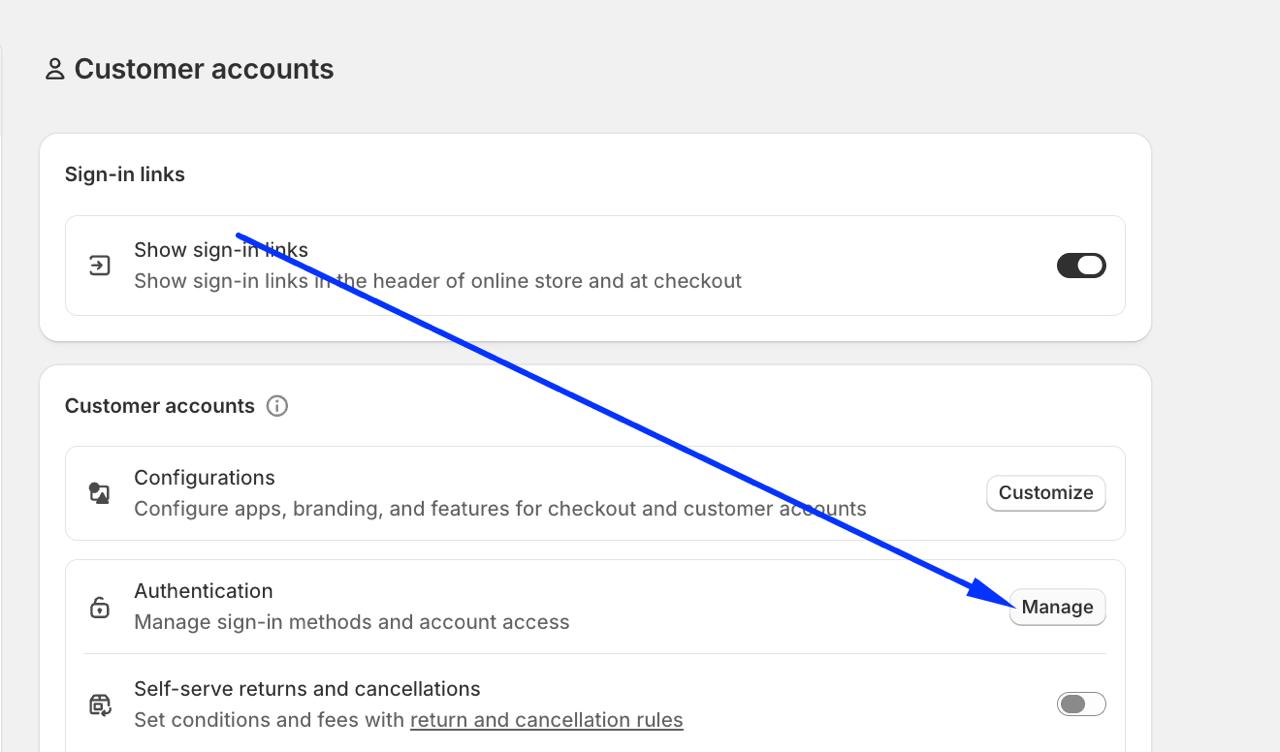
To verify if Shop Pay is active, go to Settings → Payments → Shopify Payments and follow the path Manage → Manage payment methods; you will see a toggle switch next to Shop Pay in the Shop section. If this switch is on and your Shopify Payments account is active, Shop Pay is working on your store.
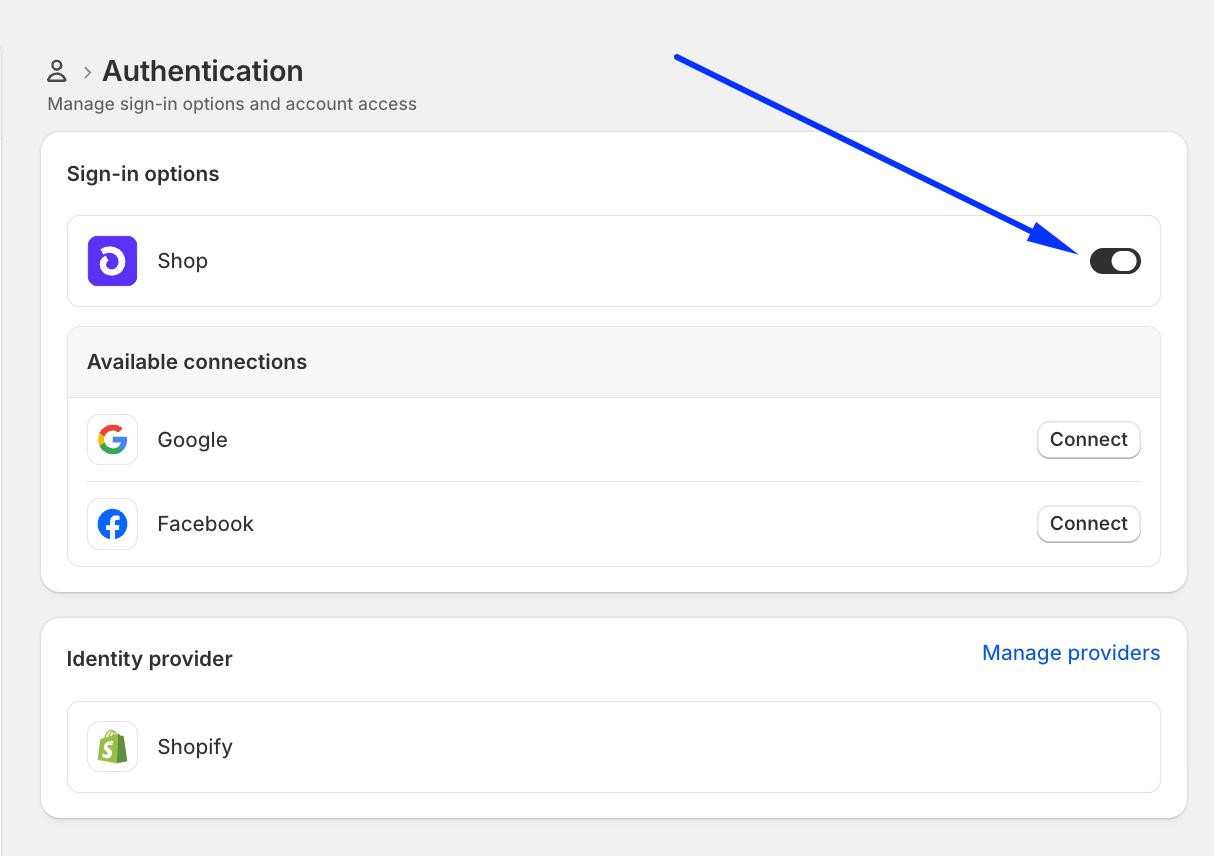
How to Turn Off or Remove Shop Pay?
The only official and necessary step to turn off Shop Pay is to disable the payment method at checkout; this removes both the Shop Pay payment option and the branded Shop Pay checkout button. If you also want to completely remove general accelerated checkout buttons (such as Buy it now, Apple Pay, or Google Pay) from the product page, that is a separate and optional second step; it is not the same as turning off Shop Pay.
1. Disabling Shop Pay at Checkout (The Main Step)
This step removes both the Shop Pay payment method and the purple Shop Pay checkout button:
- Log in to your Shopify admin panel.
- Go to Settings → Payments.
- Click the Manage button in the Shopify Payments section.
- Click on Manage payment methods.
- Find the Shop Pay option in the Shop section and deactivate it.
- Click the Deactivate button in the confirmation window that appears to confirm the action.
This process is free; turning Shop Pay on or off has no additional cost on Shopify Payments, and you can reactivate it at any time by repeating these steps.
2. Removing All Accelerated Checkout Buttons from the Product Page (Optional, Separate Setting)
After turning off Shop Pay, a generic "Buy it now" button (or other methods like Apple Pay/Google Pay, if active) may continue to appear on the product page instead of Shop Pay. If you want to remove all of these general accelerated checkout buttons:
- Go to Online Store → Themes.
- Click the Customize button on your active theme.
- Select the Buy Buttons block in your product page template.
- Turn off the "Show accelerated checkout buttons" setting.
This setting is not specific to Shop Pay; when turned off, all accelerated checkout options on the product page (including Buy it now) are removed together. Shopify does not offer a selective control that allows you to hide only a specific accelerated checkout button (e.g., just Shop Pay) via the theme; this setting works on an all-or-nothing basis.
3. Turning Off Shop Pay Installments Separately
If you want to keep the general Shop Pay payment option enabled but disable only the "Shop Pay Installments" feature, there is a separate "Shop Pay Installments" checkbox right below Shop Pay on the same Manage payment methods screen; Shopify officially defines these two as independent settings.
Tip: Some users on the Shopify Community report that unchecking only the Shop Pay Installments box causes the general Shop Pay payment option to disappear from checkout as well. This is not a behavior documented in Shopify's official documentation, but rather an anecdotal issue reported by some users. Nevertheless, if you only want to disable the installment feature, checking your checkout with a test order after the process will help you catch any unexpected changes early.
Shop Pay Alternatives for Stores in Turkey
When Shop Pay is unavailable, what Turkish stores need is to establish a fast and familiar payment experience; the way to do this is not to wait for Shop Pay, but to set up the right local payment infrastructure. Turkey-focused payment providers like PayTR and iyzico can be integrated with Shopify to accept payments with local cards and installment options; features like the checkout experience and card storage vary depending on the integration model used. In PayTR's official Shopify integration, the payment takes place on PayTR's own partner page, while iyzico lists Shopify as an officially supported platform. In our guide on how to connect PayTR to Shopify we show this setup step by step.
Virtual POS systems from Turkish banks meet both the local expectation for installments (the 2-12 installment options that Shop Pay Installments cannot offer in Turkey) and provide customers with a familiar bank interface. We cover the process of adding a general payment method in our guide on adding payment methods to Shopify, and if you need a custom payment infrastructure at an enterprise scale, we cover it in our custom payment infrastructure development guide .
If you are setting up your store for the first time, knowing that Shop Pay cannot be used in Turkey and planning the right payment infrastructure from the start saves much more time than reconfiguring your checkout later. In our Shopify store setup service we configure the payment infrastructure from the ground up according to the actual constraints of Turkey; instead of panicking after realizing Shop Pay is missing, we clarify which local alternatives meet which needs during the setup phase.
Frequently Asked Questions
What is Shop Pay, in short?
Shop Pay is Shopify's accelerated checkout button and digital wallet system; it saves a customer's card and address information once, allowing them to pay with a single click in all Shopify stores for future purchases. It is not a payment processor itself; it works in conjunction with Shopify Payments.
Why can't Shop Pay be used in Turkey?
Shop Pay is offered alongside Shopify Payments in most stores, and Turkey is not on the list of countries supported by Shopify Payments. Therefore, users opening a store with a company established in Turkey cannot truly activate Shop Pay; in practice, the only way is to establish a truly eligible business structure in a country where Shopify Payments is supported and meet that country's verification requirements.
Are Shop Pay and Shopify Payments the same thing?
No. Shopify Payments is the payment processor that actually collects the credit card transaction. Shop Pay, on the other hand, is a checkout experience and digital wallet that sits on top of that processor. In most stores, Shop Pay does not work without Shopify Payments; it can only be enabled with a third-party gateway in the US, France, and Australia for stores that meet specific eligibility requirements.
How do I remove Shop Pay from my store?
The main step: Go to Settings → Payments → Shopify Payments → Manage payment methods → Shop and deactivate the Shop Pay option at checkout; this removes both the payment method and the branded Shop Pay button. If you also want to remove all accelerated checkout buttons on the product page (including "Buy it now"), that is a separate theme setting: you need to turn off the "Show accelerated checkout buttons" option.
Does turning off Shop Pay incur any extra fees?
No. Enabling or disabling Shop Pay does not create any additional costs on Shopify Payments; the process is completely free and can be reversed at any time.
Why is Shop Pay Installments not available in Turkey?
Shop Pay Installments is an installment payment system where the credit side is handled by Affirm, and according to Shopify's current documentation, it is only active in the US, Canada, and the UK; Turkey is neither in the current scope nor in the announced expansion plans. Since Shop Pay itself does not work in Turkey, this feature is also automatically unavailable.
Conclusion: Understanding Shop Pay is the First Step to Building the Right Payment Strategy
Shop Pay measurably increases conversion in countries where Shopify Payments is supported; however, none of these advantages apply to a store based in Turkey because the system it is tied to, Shopify Payments, is not yet supported here. This is not a malfunction, but a restriction based on country and business eligibility; clarifying this distinction prevents store owners from wasting time trying to enable Shop Pay in vain.
If you see an unexpected accelerated checkout button in your store or want to remove Shop Pay entirely, simply follow the main step above (deactivating it in the checkout settings); if you also want to remove the general buttons on the product page, that is a separate theme setting. If you want to set up the payment experience specific to Turkey correctly from scratch, you can check out our guide on payment methods for sales in Turkey and internationally , or if you would like direct support during the setup process, you can contact Nodus Works.