
Migrating from Amazon to Shopify is not just moving products between platforms; it is the shift from marketplace seller to brand owner of your customer data and buying experience. The smartest approach keeps Amazon as a channel for new customers while Shopify becomes the brand's e-commerce hub. The migration takes eight steps, from strategy and store setup to catalog transfer.
When we work with brands that sell on Amazon at Nodus Works, we often see the same pattern: the seller has found product-market fit and sales are coming in, but the brand does not know where it is heading. Who is the customer, what do they buy, do they come back? The answers to these questions are not on Amazon. Amazon is a distribution channel. It can be a great starting point, but a brand's long-term value is measured by whether it owns its customer data, the buying experience and the repeat purchase relationship. This guide explains how to position Shopify not to leave Amazon completely, but to reduce your dependence on it. We have collected all the platform-independent migration steps, such as choosing a plan, transferring data, protecting SEO and going live, in our Migrating to Shopify: The Complete Guide; this article focuses on what is specific to leaving Amazon and moving to your own brand.
What Does Migrating from Amazon to Shopify Mean?
Migrating from Amazon to Shopify is not about moving products from one platform to another. It is a shift from being a marketplace seller to owning a brand. When you sell on Amazon, you are Amazon's customer; when you sell on Shopify, the customer is yours.
This distinction is strategic, not operational. Let us make it concrete:
In the Amazon model: The customer comes to Amazon, finds you and buys. You have no access to the customer's email address, behavioral data or repeat purchase history. For the next sale, you depend on Amazon's algorithm all over again.
In the Shopify model: The customer comes to your site, engages with your brand, buys, and you own that relationship. You follow up by email, send SMS and build a loyalty program. The second sale can happen without any ad spend.
The migration covers four fundamental shifts:
- From marketplace visibility to building your own organic traffic
- From commission-driven sales to growth driven by customer lifetime value
- From a product listing mindset to designing a brand experience
- From depending on Amazon's rules to setting your own business rules
Critical Note: Migrating does not mean "closing Amazon and opening Shopify". The healthiest strategy is to keep Amazon as a channel for acquiring new customers while making Shopify the ecommerce hub of the brand. The goal is to reduce dependence, not to close the channel.
Amazon's Advantages and Limits
Amazon is a sales channel that gives you access to millions of users with high purchase intent; a strategy that ignores this would not be realistic. For growing brands, however, Amazon's structural limits become heavier over time.

Amazon's most important advantage at the start is high-intent traffic: users come to buy. This is very valuable when your brand awareness is zero. Over time, however, the same advantage turns into a disadvantage: customers start choosing Amazon rather than your brand, and you can no longer build a direct relationship with them.
Tip: Calculate the repeat purchase rate of your Amazon sales. If more than 80% of your customers are one-time buyers, what you have is a relationship with Amazon, not a relationship with your brand. Shopify provides the CRM and automation infrastructure you need to reverse this rate.
Who Should Consider Moving to Shopify?
Moving to Shopify does not carry the same priority for every Amazon seller. If you fit more than one of the profiles below, the migration makes strategic sense.
Brands that have found product-market fit on Amazon: Your product sells and the reviews are good, but you do not know where the brand is heading. This is the right time to set up Shopify, because you know what sells and can carry that knowledge over to your own store.
Sellers squeezed by commission and advertising costs: Amazon's commission (8-15%) plus Sponsored Products ads seriously narrows profit margins. Once the commission and Amazon's in-platform advertising costs are gone, the same product can be sold at a higher margin in your Shopify store, because repeat purchases come through email rather than ads.
Brands that want to own their customer data: On Shopify, every customer's email address, purchase history and behavioural data belongs to you. This data is the foundation for segmentation, personalized campaigns and loyalty programs.
Businesses that want to move to a DTC model: The direct-to-consumer model removes the intermediary's margin and builds the relationship between brand and customer directly. Shopify is the most widely used technical infrastructure for this model.
Turkish brands that want to sell globally: Amazon can be a good testing ground for selling globally; but to configure multiple currencies, multiple languages and local payment methods from a single store, Shopify Markets lets you manage each market independently.
Sellers exposed to Amazon account risk: Amazon can suspend an account in the event of a rule violation or complaint. Having your own store does not remove this risk completely, but it diversifies your sales channels.
Pre-Migration Preparation Checklist
The preparation you do before setting up your Shopify store directly determines the quality of the migration. Brands that start unprepared spend weeks fixing their catalog after setup is complete.
Product and Catalog Analysis
Do not copy your Amazon product catalog to Shopify one to one. First, carry out the following analysis:

- Top 20 best-selling products: These products form the core of your Shopify store. Rewrite their descriptions, images and pricing; the language of an Amazon listing is different from the language of a brand store.
- Low-performing products: Evaluate them before moving them. A product that does not sell on Amazon will not sell on Shopify either; a bloated catalog hurts SEO and the user experience.
- SKU and variant structure: On Shopify, you can define up to 2,048 variants and 3 options per product. Restructure any products that exceed these limits.
- Amazon reviews: They cannot be copied directly (that would violate Amazon's ToS), but recurring themes from reviews can be worked into your product descriptions as content.
Brand and Strategy Preparation
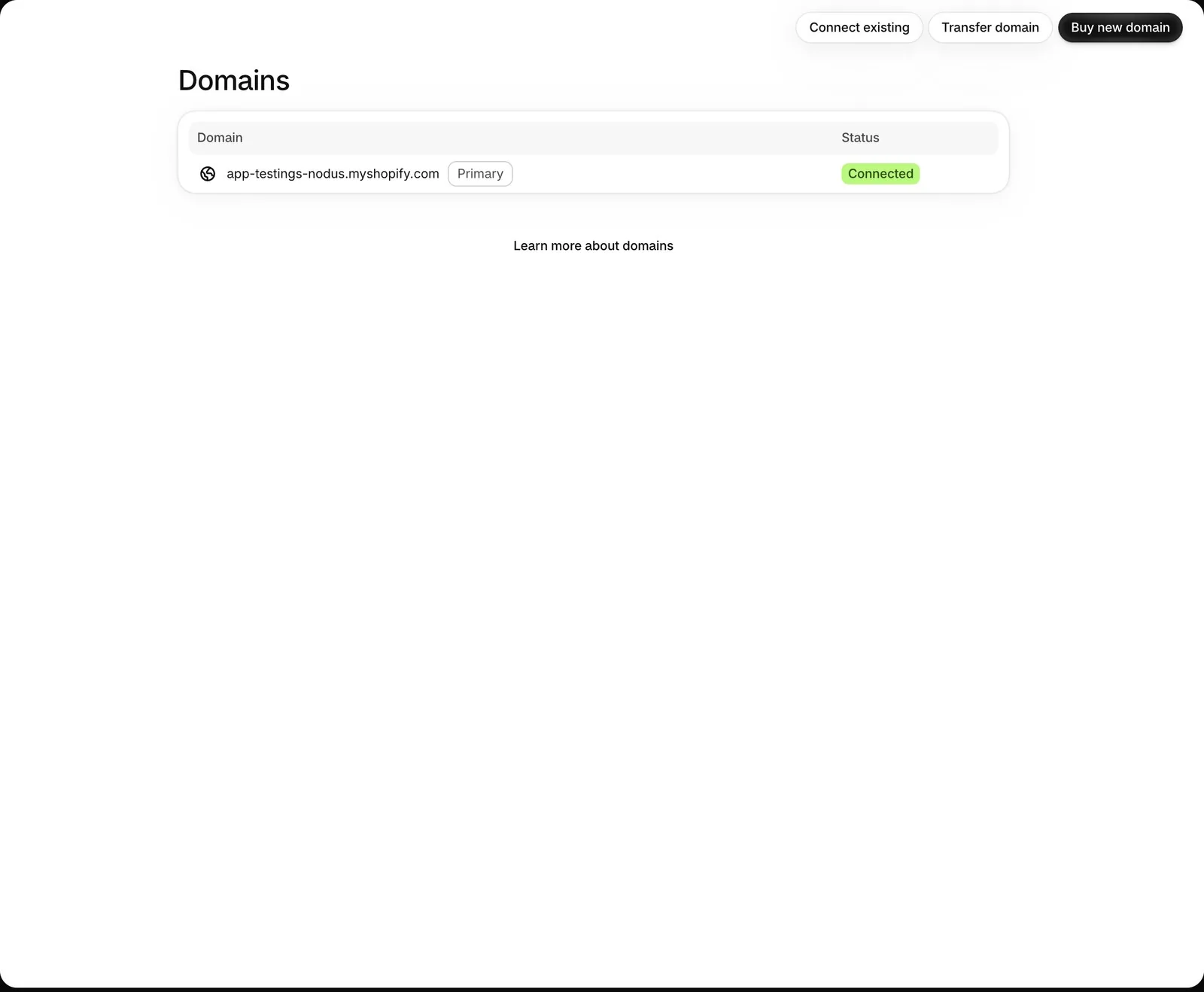
- Domain: Get a .com or .com.tr domain that matches your brand name.
- Brand identity: Your logo, color palette, typography and tone of voice guide should be ready before the Shopify setup begins.
- Pricing strategy: You were building Amazon's commission into your prices. On Shopify, this cost falls; when updating prices, recalculate the balance between profit margin and competitiveness.
- Shipping policy: Define your free shipping threshold, delivery times and return conditions clearly. Customers used to Amazon Prime expect speed and transparency.
Technical Infrastructure Plan
- Apply to a payment provider (iyzico/PayTR) 1-2 weeks before setup; iyzico approves a complete application within 24 hours, while PayTR usually takes 1-5 business days including onboarding documents and the contract; it can take longer if additional documents are requested.
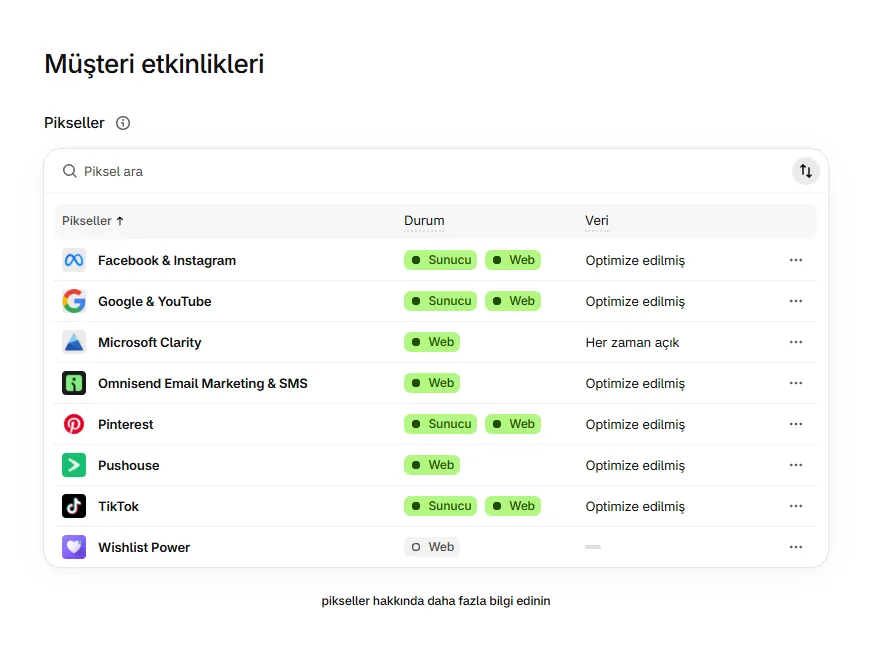
- Set up Google Analytics 4, Meta Pixel and Google Ads conversion tracking before going live; data from a first month without pixels cannot be recovered.
- Your email marketing platform (Klaviyo, Omnisend) should be connected to Shopify, with a welcome flow ready, from day one.
Risk to Avoid: Copying Amazon product descriptions and pasting them into Shopify both creates a duplicate content problem and traps your brand voice in Amazon listing language. Every product description should be written from scratch for the Shopify store: benefit-focused and in your brand voice.
The Amazon to Shopify Migration Process
The migration is completed in eight steps. Each step is a prerequisite for the next; brands that skip ahead usually have to go back and restructure in month 3 or 4.

Step 1: Strategy and Planning
Which products will you move, which market will you target, and how will you position your brand voice? Do not start the technical setup before answering these questions. Your target audience may differ from your Amazon profile; a customer who comes to your brand directly on Shopify has a different motivation from a marketplace buyer comparing prices.
Step 2: Setting Up the Shopify Store
Theme selection, collection structure, product page template, checkout settings, and payment and shipping infrastructure. Do not rush the technical setup; misconfigured shipping zones or missing tax settings cause problems with the first orders. For a step-by-step setup, our Shopify store setup guide covers every technical step.
Step 3: Product and Catalog Transfer
Product titles, descriptions, images, variants, SKUs, barcodes and collection structure. Manual entry is preferred for fewer than 100 products, and CSV import for more. Every product description should be rewritten; Amazon listing language does not belong on a Shopify product page.
Step 4: Building the Brand Experience
Moving away from Amazon's listing mindset, you build the product pages, home page, category pages and brand storytelling. Trust elements (social proof, warranty information, return policy) should be visible and under your control on Shopify; on Amazon, Amazon did this job for you.
Step 5: Integrations
Shipping carriers (MNG Kargo (now DHL eCommerce), Yurtiçi, Aras), accounting and ERP (Paraşüt, Logo, Nebim), email marketing (Klaviyo, Omnisend), ad pixels (Meta, Google) and analytics. If you want to manage Amazon and Shopify at the same time, also look into the Shopify Amazon integration options; dedicated solutions are available for inventory sync and order management.
Step 6: SEO and Content Infrastructure
On Amazon, traffic comes from the marketplace; on Shopify, you need to plan category, product page and blog SEO for organic traffic. Define your target keywords, build your collection URL structure around them and write separate meta tags for each page.
Step 7: Setting Up Advertising and CRM
Meta and Google Ads campaigns, the Klaviyo welcome flow, abandoned cart automation and repeat purchase flows should all be ready before going live. Running the first 30 days without CRM automation means losing customers you could have won back.
Step 8: Testing and Going Live
Check, in order, a test order, the mobile view, a speed test (Core Web Vitals), the order flow, shipping calculation and email notifications. Complete the 20-point checklist before removing password protection.
Common Mistakes When Migrating
The most common mistakes we see in migrations from Amazon to Shopify are strategic, not technical. The store works but sales do not come in, because the basic setup is missing.
Copying Amazon product descriptions: This sends Google a duplicate content signal, and listing language in the "This product has this feature" format does not convert in a brand store. On Shopify, descriptions should be benefit-focused and written in your brand voice.
Building the Shopify site as nothing more than a catalog: Uploading the products and publishing is not enough. The home page should tell a story, collection pages should guide, and product pages should persuade. Amazon handles these layers for you; on Shopify, you build them yourself.
Going live without an SEO plan: Time spent in the first 6 months without an SEO foundation cannot be recovered. Category URLs, meta tags and the content plan should be decided at the start of the migration.
Not setting up email and CRM infrastructure: The biggest gain from migrating from Amazon to Shopify is customer data. Migrating without collecting and using this data wastes the most important advantage of the move.
Carrying your Amazon pricing strategy over to Shopify: Your Amazon price includes commission and advertising costs. On Shopify, these costs are different; recalculate your pricing based on the new cost structure.
Incomplete ad pixel setup: Meta Pixel, the Google Ads conversion tag and GA4 ecommerce events should be working correctly before you go live. A first month with incomplete pixel data leaves your ad optimization flying blind.
Neglecting the mobile experience: According to the 2026 Turkey E-Commerce Ecosystem Report by KPMG and ideasoft, 64.8% of orders in 2025 were placed from mobile devices. If a store that looks great on desktop delivers a poor experience on mobile, the conversion rate drops.
Critical Note: Brands that do not position Shopify as the brand's ecommerce hub, and treat it merely as an alternative to Amazon, do not get the return they expect from the migration. Amazon can remain one of your channels; but the point of Shopify should not be "I can sell without Amazon too", it should be "I know my customers and I manage the relationship".
Can You Use Amazon and Shopify Together?
Yes, you can. Managing Amazon and Shopify together is possible both technically and strategically, and for many growing brands it is also the healthiest migration model.

Amazon keeps working for new customer acquisition and marketplace visibility. Shopify becomes the hub for repeat purchases, brand experience, CRM and higher-margin sales. The two channels do not exclude each other; they complement each other.
The critical part of this hybrid model is inventory sync. If you sell the same product on Amazon and on Shopify, inventory must be synced automatically; otherwise overselling or stock discrepancies occur. For this sync, Shopify Amazon integration solutions bring both orders and inventory together in a single dashboard.
Post-Amazon Growth Strategies on Shopify
Once your Shopify store is live, growth is built on diversifying traffic and increasing customer lifetime value. On Amazon, you could manage none of this; on Shopify, all of it is under your control.

Organic traffic through SEO: When category and product pages are written around keywords, you build organic rankings on Google. This is not possible on Amazon; on Shopify, visible SEO growth can be achieved in 6-12 months. Our Shopify SEO optimization service manages this process, from technical structure to content strategy.
Email and SMS automations: Welcome flows, abandoned cart reminders, repeat purchase and birthday campaigns. Built with Klaviyo or Omnisend, these flows generate revenue without ad spend. According to Klaviyo's 2026 email marketing benchmark data, automated flows generate about 41% of email revenue while making up only 5.3% of sends.
Conversion optimization: On Shopify, every detail can be tested: product page layout, checkout steps, upsell and cross-sell offers, price display. These optimization opportunities, which you could not see on Amazon, mean higher revenue from the same traffic volume. Our conversion optimization service runs this process based on data.
Loyalty programs and subscriptions: On Amazon, you advertise again to reach a customer again. On Shopify, you sell to the same customer more than once by creating loyalty points or a VIP segment; a subscription model, however, doesn't work with iyzico or PayTR in Turkey, so it can only be set up with a payment infrastructure that supports subscription payments. To set up points, VIP tiers and a referral program in a single app, you can use the Loyalis loyalty program.
Global sales: With Shopify Markets, multiple currencies, multiple languages and local payment methods can be managed from a single store. If you sell globally on Amazon and want to move this to Shopify, the payment and tax infrastructure for each market must be configured separately.
Marketplace + DTC hybrid: You keep your visibility on Trendyol, Hepsiburada or Amazon while selling directly to customers through Shopify. Inventory and orders from both channels can be managed from a single dashboard with our Shopify integration solutions.
FAQ
How long does migrating from Amazon to Shopify take? 4-8 weeks, including preparation and setup. Most of this time goes into preparing product descriptions and images again. The technical setup is completed in 1-2 weeks; the payment provider approval process (24 hours for a complete application with iyzico, usually 1-5 business days with PayTR) should be factored into this timeline.
Do I have to close my Amazon store? No. For most brands, the hybrid model is the smarter start. You keep Amazon as a new customer channel while building your brand hub on Shopify. As Shopify gains stability, your dependence on Amazon decreases naturally.
Can I move my Amazon reviews to Shopify? Under Amazon's ToS, you cannot copy reviews directly. However, you can work review themes (the most frequently mentioned features and complaints) into your product descriptions and FAQ sections. Start collecting new reviews on Shopify with apps such as Loox or Judge.me.
Can I direct my Amazon customers to Shopify? Amazon prohibits directing customers off the platform. Trying to drive traffic to Shopify by putting a card or QR code inside the package puts your account at risk of suspension. The right approach is to win new customers on Amazon and build an independent customer base on Shopify through organic and paid channels.
How does profit margin on Shopify compare with Amazon? Without Amazon's commission (8-15%) and Sponsored Products ads, your direct costs fall. However, building organic traffic on Shopify takes time, and during that period Meta and Google Ads costs come into play. An established email list offsets this cost: the email campaigns we run for Termos Dünyası brought in up to 30% of sales without any ad spend.
How do you migrate from Amazon to Shopify? It is an 8-step process made up of strategy and planning, Shopify store setup, catalog transfer, building the brand experience, integrations, SEO infrastructure, advertising and CRM setup, and testing. Migrating does not mean closing Amazon; it means making Shopify the ecommerce hub of your brand.
Why do Amazon sellers use Shopify? For full access to customer data, control over the brand experience, repeat purchase automation and sales without commission. While Amazon is kept as a channel for acquiring new customers, Shopify is positioned as the central channel for CRM, SEO and conversion optimization.
Conclusion
Amazon keeps its role as a sales channel with high-volume traffic and a ready-made customer base; but if a brand wants to own its customers in the long term, relying on Amazon as its only channel is not sustainable. Shopify provides the technical infrastructure for the migration; the real shift, however, starts with the decision to own your customer data, the buying experience and the repeat purchase relationship.
At Nodus Works, we do not treat the migration of Amazon sellers to Shopify as a purely technical setup. We plan the process end to end, from catalog structure to brand experience, and from SEO infrastructure to advertising and CRM setup.
To assess your migration, start with our Shopify migration service or contact us directly.





