Shopify shipping integration is the connection that creates a real-time data flow between a store's order system and a carrier's API, so shipping labels, addresses and tracking numbers aren't entered by hand. In Turkey, Yurtiçi, Aras, DHL eCommerce, Sürat, UPS, HepsiJET and Kargoist have no official Shopify app of their own; all connect through independent developers' connectors.
The most common wrong assumption Nodus Works corrects in shipping integration projects in Turkey is this: "I'll install the official Yurtiçi or Aras Shopify app and that's it." In reality, none of the carriers operating in Turkey (Yurtiçi, Aras, DHL, UPS, Sürat, Kargoist) has published a standalone app under its own name; all of them are integrated through third-party connectors built by independent developers that connect to the carrier's API. HepsiJET follows the same rule: the HepsiJET apps on the App Store belong to independent developers such as izsoft and Pax Digital. In this guide, we cover the actual integration routes for seven carriers, often overlooked features such as bulk barcodes and return barcodes, and the verification steps to take after setup.
What Is Shopify Shipping Integration and Why Do You Need It?

Shopify shipping integration is the connection that creates a real-time data flow between your store's order management system and the carrier's API infrastructure. Without it, every shipping label is created by hand, every address is typed into the carrier's system manually, and every tracking number is copied and sent to the customer manually: a workload of 3-6 minutes per order, repeated dozens of times a day. For a store processing 100 orders a day, that means 5-10 hours of work spent on shipping tasks alone.
Shipping Carriers in Turkey and Shopify Compatibility
None of the seven carriers has an official app published under its own name on the Shopify App Store; all of them connect through products built by third-party developers. The table below shows the verified options for each carrier.
Critical note: The term "official app" does not apply to every app on the Shopify App Store that carries a carrier's name. An app with "Aras Kargo" or "Yurtiçi Kargo" in its name is not necessarily developed by that carrier; always check the developer details on the App Store listing.
Yurtiçi Kargo
Yurtiçi Kargo has no app published under its own name on the Shopify App Store. Pax Digital's "Pax: Yurtiçi Kargo" app is the most widely used third-party option; it offers automatic tracking codes, SMS/email notifications and cash on delivery support. For API access, you need to sign a corporate contract with Yurtiçi Kargo and obtain your customer number and password; there is no minimum volume requirement.
Aras Kargo
The situation is the same for Aras Kargo: there is no official app, and Pax Digital's "Pax: Aras Kargo" app works as a third-party connector. API access requires a customer number and an API password; these are provided through the B2B portal or your account representative once the corporate contract is signed. The API password may be renewed periodically for security reasons, and an outdated password in the app will cause a connection error.
DHL
In Turkey, DHL is the carrier that used to operate under the MNG Kargo brand and now provides its services as DHL eCommerce. There is no standalone Shopify app published directly under the "DHL" name; the most common option is multi-carrier middleware such as GurmeHub Kargo Entegratör. Domestic and international shipments require separate contracts and separate API credentials. We cover the full setup steps separately in our Shopify DHL integration guide.
Sürat Kargo
Sürat Kargo's third-party app on the Shopify App Store is developed by izsoft; it offers shipping label printing, automatic tracking code insertion, SMS notifications and AI-assisted address validation. According to Sürat Kargo's official delivery standards, single-piece shipments under 30 kg and 30 desi (volumetric weight) are delivered to the recipient's floor; delivery time is based on the total distance the shipment travels between the origin unit, the transfer centers and the destination unit. For label and tracking sync with Sürat Kargo, see our Shopify Sürat Kargo integration page (/en/integrations/shopify-surat-kargo-integration).
UPS
UPS has no standalone app published under its own name on the Shopify App Store. You connect through a multi-carrier app such as GurmeHub Kargo Entegratör; these apps also cover UPS's international shipping API. For stores that sell internationally, UPS is usually set up as a secondary channel alongside domestic carriers, used only for international orders. We cover the full setup steps separately in our Shopify UPS integration guide.
HepsiJET
Like the others among the 7 carriers, HepsiJET has no official app published under its own name on the Shopify App Store; izsoft's "HepsiJET" app starts at $14.99 per month, and Pax Digital's "Pax: HepsiJET Kargo" app starts at $9.99 per month. To set it up, you need an API Key/Secret and a Warehouse ID from HepsiJET, an active corporate contract and authorized access to HepsiJET's B2B system. We cover the full setup steps separately in our Shopify HepsiJET integration guide.
Kargoist
Kargoist has no self-service portal where you can generate credentials yourself; after you sign a corporate shipper agreement, access details are provided on request through your branch. Authentication also works differently from the other carriers: instead of a customer code and password, it uses an access key and a form ID. Because Kargoist has neither its own app nor an app dedicated to it on the App Store, these details are entered into a multi-carrier integrator such as GurmeHub Kargo Entegratör; the integrator's no-contract shipping option isn't available for Kargoist, so the corporate agreement and the integrator are two steps of the same route. We cover the full setup steps separately in our Shopify Kargoist integration guide.
Critical note: None of these 7 carriers has an official app on the Shopify App Store published under the carrier's own name. If you see an app that mentions "Aras Kargo" or "UPS", always check the developer details on the App Store listing; it is not necessarily developed by the carrier itself.
Besides the seven carriers in this table, PTT Kargo is another option commonly used by Shopify stores; we cover the setup details separately on our Shopify PTT Kargo integration page.
Creating Shipping Barcodes: Bulk and Return Workflows
Creating a shipping barcode means generating each order's shipping label through the integration; for a store processing dozens of orders a day, being able to do this in bulk rather than one by one becomes critical.
Bulk Barcode Generation
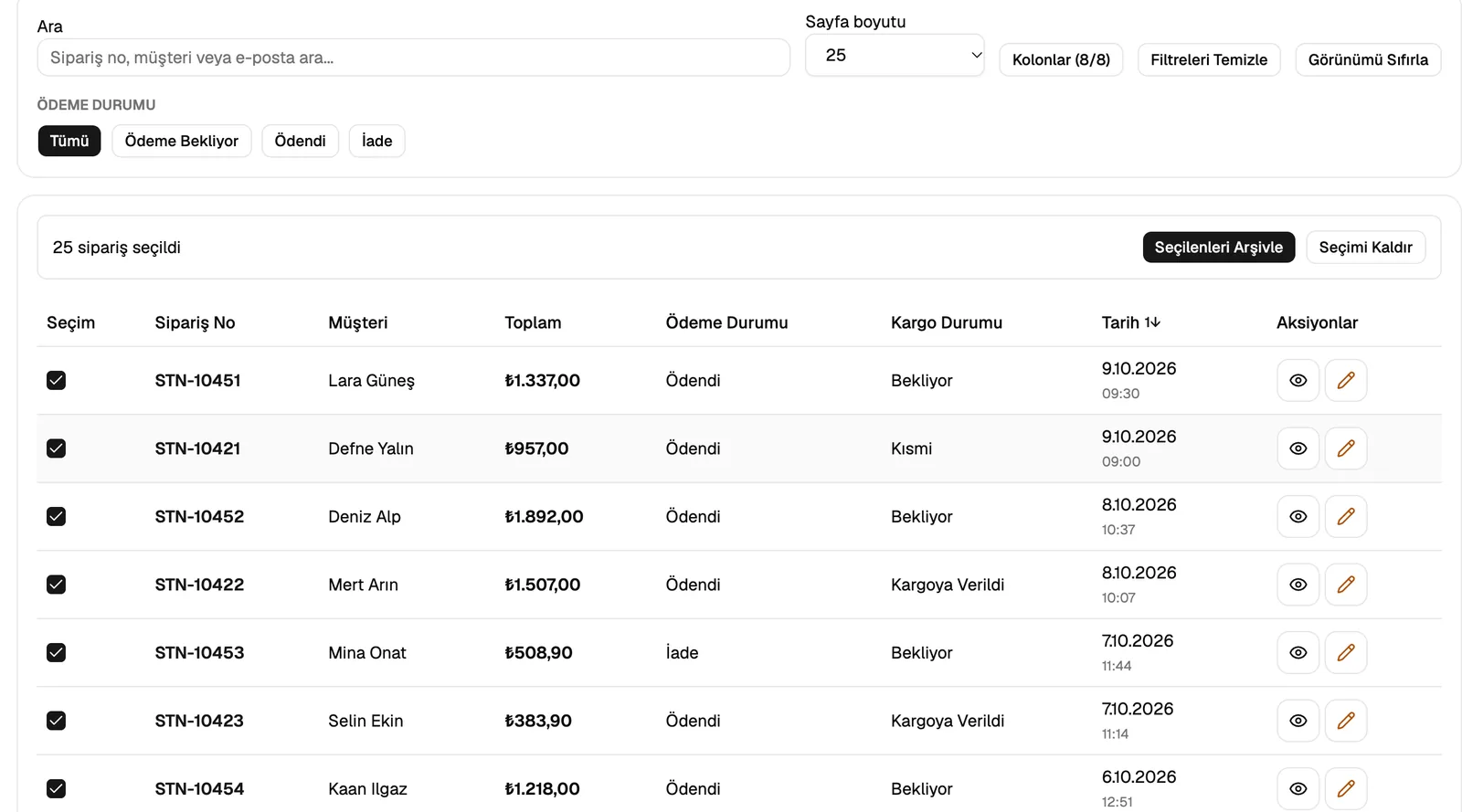
Creating every shipping label one at a time creates a bottleneck at exactly the point where the integration is supposed to save you time. Bulk barcode generation is the feature that produces shipping labels for all selected orders in a single action; Pax's apps, GurmeHub Kargo Entegratör and Station offer it. An integration without this feature turns back into manual work as your order volume grows.
Return Barcode Generation
When choosing a shipping app, look at return barcode integration as well as bulk barcode generation. In apps that offer it, such as GurmeHub Kargo Entegratör, a return barcode is generated automatically when the customer submits a return request; in apps that don't, the return process has to be managed manually.
Preparing for Shopify Shipping Integration
There are three core preparation steps to complete before you start the integration: signing a corporate contract, obtaining your API credentials and getting your Shopify settings ready.
1. Corporate Contract and API Access
To access a carrier's API, you first need to sign a corporate customer contract. The process takes 3-10 business days, depending on the carrier. Once the contract is in place, you receive the following details: customer number, API key/password and branch code.
Risk to avoid: Never share your API keys with third parties, and avoid storing them as plain text in the Shopify admin. These credentials should be entered in the secure settings screen of the third-party app you choose.
2. Preparing Your Shopify Store
Before the integration, verify the following settings: delivery zones for Turkey must be defined under Settings → Shipping and delivery, weight must be entered for every product, and VAT must be fully configured in your tax settings. Stores with more than 500 products can update weights in bulk using CSV export/import.
3. Verifying with Test Orders
Before going live, create at least 10 test orders and check that the shipping label is generated correctly, that the tracking number appears in the Shopify order details and that notifications are triggered. Some third-party apps may ask you to request separate test/sandbox access for this.
Shopify Shipping Integration Methods
Shopify shipping integration can be set up in three ways: a single-carrier third-party app, a multi-carrier integrator or custom API development.
Setting Up with a Single-Carrier Third-Party App
Installing the third-party app built for your chosen carrier (for example Pax: Yurtiçi Kargo or Pax: Aras Kargo) is the fastest route for most small and mid-sized stores.
- Go to Shopify admin → Apps → App Store and search for the carrier's name; check the developer details in the results and select the third-party app.
- Install the app with the "Add app" button and approve the required permissions.
- In the app settings, enter the API details you received from the carrier (customer no., password, branch code).
- Verify the API connection using the app's connection test feature.
- Under Shipping zones, define the shipping zones and pricing rules for Turkey.
- Create a test order, generate the label and confirm that the tracking number is added to the order.
Setting Up with a Multi-Carrier Integrator

If you use carriers that have no single-carrier app, such as Kargoist, or want to manage several carriers from one panel, you need a multi-carrier platform such as GurmeHub Kargo Entegratör or Station, developed by Nodus Works; for DHL, confirm separately before setup that the platform supports this carrier. On these platforms, you enter separate API credentials for each carrier; when an order comes in, the platform routes it to the relevant carrier according to the rules you set.
Custom API Development
This is the method that offers the most customization for enterprise stores that process more than 2,000 orders a month, need to work with an ERP or WMS, or require fully customized warehouse workflows. The carrier's REST API connects directly to Shopify webhooks; third-party app costs disappear, and the workflow can be customized without limits.
Shipping Pricing and Automatic Calculation in Shopify
Shopify shipping rates are configured with two models: flat rate and weight-based calculation.
Flat Rate and Conditional Free Shipping
Under Settings → Shipping and delivery → Shipping zones, you define a flat shipping fee for all orders; free shipping kicks in once an order exceeds a set amount. Setting the free shipping threshold 15-20% above your average cart value encourages customers to add more products while protecting your conversion rate.

Weight-Based Pricing
You define different price tiers based on product weight. For this model to work, every product must have its weight entered in Shopify. Keep in mind the desi (volumetric weight) calculation used by Turkish carriers: the carrier bills whichever is greater, the actual weight or the volumetric weight (length × width × height / 3000).
Post-Integration Testing and Verification
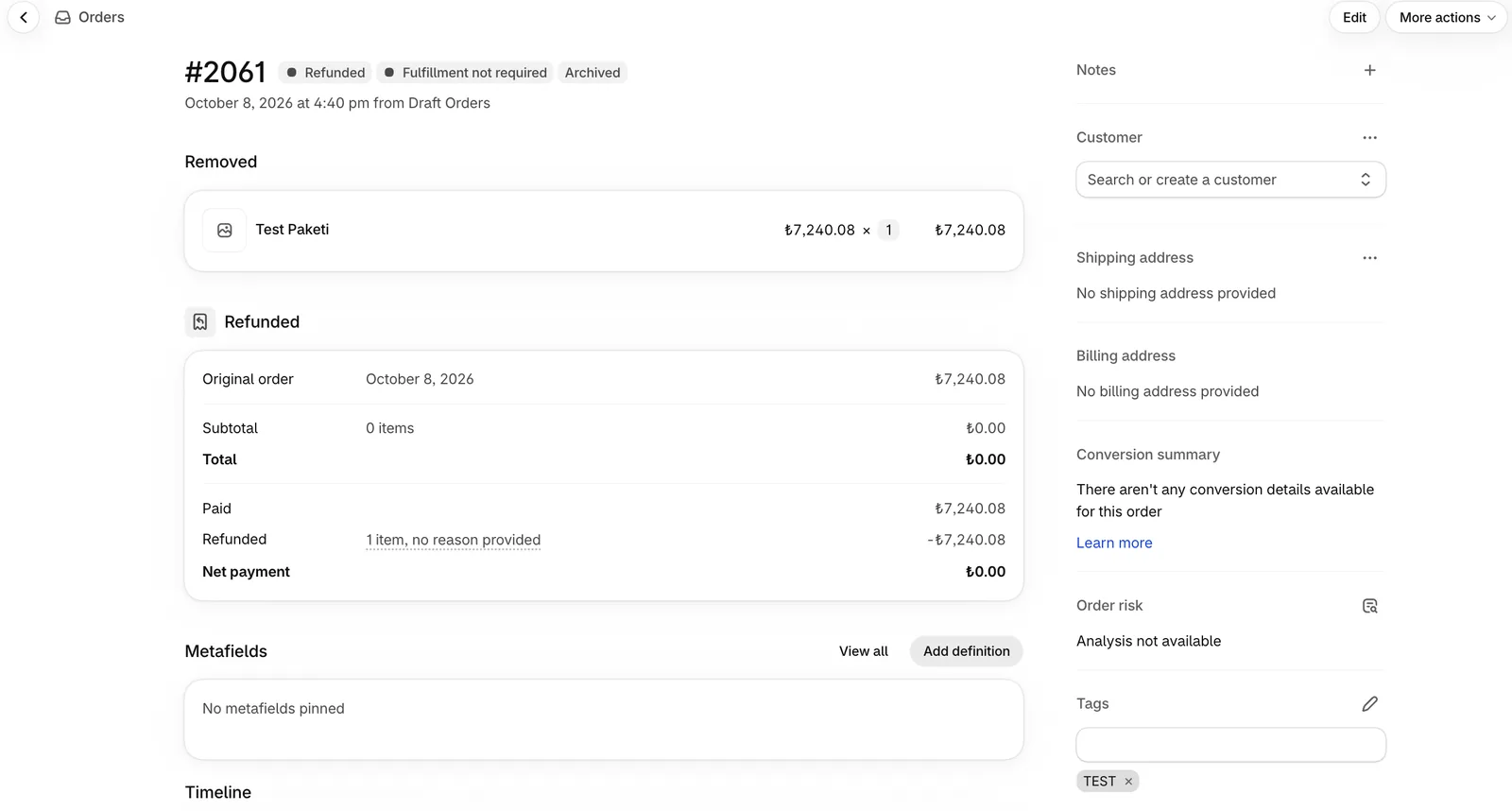
Before the shipping integration goes live, test at least five scenarios: a standard order, a heavy/bulky order, deliveries to different cities, a return order and a canceled order. Create test orders with real products and real Turkish addresses.
No Shopify plan includes a built-in province/district dropdown at checkout (on Plus, one can be added through a custom checkout extension); customers enter their address as free text, which increases the risk of typos. This makes choosing an app that uses AI to correct address mismatches at checkout especially important for stores that are not on Plus. Apps that offer AI-powered address correction, such as GurmeHub Kargo Entegratör, automatically reduce this risk before the shipping label is created.
Test Checklist
- Is the shipping label created automatically when the order is confirmed?
- Does the tracking number appear on the order details page and in the customer confirmation email?
- Does the tracking number work on the carrier's website?
- Are notifications triggered correctly?
- Does the system respond correctly when a return request is created, and is the return barcode generated automatically?
- Is the rate calculation accurate and consistent across different weight ranges?
Common Problems and Solutions
Problem 1: The API Connection Fails
Get the latest version of your API credentials from the carrier's portal. Some carriers, Aras Kargo in particular, renew the API password automatically during security updates; the old password in the app then causes a connection error. Check whether credentials entered by copy-paste contain hidden space characters.
Problem 2: The Shipping Label Is Not Generated
At least one product in the order may be missing its weight. Fill in the weight under Products → [the product] → Shipping. Check that the customer number from your contract has been entered exactly in the API settings, with the correct upper and lower case.
Problem 3: The Tracking Number Is Not Sent to the Customer
Check that the {{ fulfillment.tracking_number }} variable is present in the Settings → Notifications → Shipping confirmation email template. This variable may have been removed from customized email templates; compare yours with the original Shopify template to restore it.

Frequently Asked Questions
How do I set up shipping integration in Shopify?
You sign a corporate contract with the carrier and obtain your API credentials, then install your chosen third-party app from the Shopify App Store, enter those credentials and define your shipping zones.
Which shipping carriers does Shopify integrate with in Turkey?
In Turkey, Shopify can integrate with Yurtiçi Kargo, Aras Kargo, DHL, UPS, Sürat Kargo, HepsiJET and Kargoist through third-party apps. None of these carriers has an official Shopify app published under its own name; all of them connect through third parties. Pax Digital's apps are the most common choice for Yurtiçi and Aras, and multi-carrier integrators (such as GurmeHub) for DHL and UPS; for Sürat, there is izsoft's single-carrier app, and for HepsiJET, there are apps from izsoft and Pax Digital. For Kargoist, the only route is a multi-carrier integrator such as GurmeHub, and it requires your own corporate agreement with Kargoist.
Which Shopify plan do I need for shipping integration?
Shipping apps work on every paid Shopify plan, including Basic, Grow, Advanced and Plus. No plan has a built-in province/district dropdown at checkout; on Plus, one can be added through a custom checkout extension. On the other plans this field is free text, which makes address validation tools more critical.
Can I use more than one shipping carrier in Shopify?
Yes. In Shopify, you can assign different carriers to different delivery zones; to manage several carriers from one panel, you can use multi-carrier integrators such as GurmeHub or Station.
Which shipping carrier is recommended for Shopify shipping integration?
There is no single "best" carrier; the right choice depends on the regions the branch network needs to cover and the unit rate you can negotiate with the carrier. Yurtiçi's wide branch network, Aras's fast delivery capacity and Sürat's ability to connect directly to Shopify through izsoft's single-carrier app can each be an advantage in different scenarios. We recommend getting quotes from more than one carrier before you decide.
How do I set up HepsiJET Shopify integration?
Like the other 6 carriers, HepsiJET has no official app published under its own name on the Shopify App Store. All you need to do is install izsoft's "HepsiJET" app or Pax Digital's "Pax: HepsiJET Kargo" app and enter the API credentials you received from HepsiJET.
Is it hard to switch shipping carriers in Shopify?
Technically, removing the current app and installing the new carrier's app is enough. The hard part is the operational transition: signing a contract with the new carrier, obtaining the API credentials and getting warehouse staff used to the new labeling process usually takes a 1-2 week adjustment period.
Set Up Your Shopify Shipping Integration Correctly
A properly configured shipping integration cuts the manual time spent per order down to minutes, improves customer satisfaction and prevents costs caused by operational errors. Projects that start out expecting an "official app" can head in the wrong direction from the first step; finding the right third-party option and evaluating, from the start, features that make a difference as order volume grows, such as bulk barcodes and return barcodes, leads to a healthier setup. Shipping integration is usually planned at the same time as marketplace and accounting integrations; we cover the overall framework for every integration category separately in our Shopify Integrations guide.
You can browse the detailed setup guides we have prepared for specific carriers: Aras Kargo Shopify integration, Yurtiçi Kargo Shopify integration and DHL Kargo Shopify integration. If you want to manage your shipping, marketplace and accounting integrations from a single panel, you can contact our team about our Shopify integration solutions service.
We cover the setup steps for all 7 carriers in this guide (Yurtiçi Kargo, Aras Kargo, DHL, UPS, Sürat Kargo, HepsiJET, Kargoist) in depth on separate pages; you can go to the relevant carrier from the table above.