A Shopify Etsy integration is set up by installing a third-party app such as CedCommerce or Shuttle from the Shopify App Store and connecting your Etsy and Shopify accounts inside that app; Etsy does not have an official Shopify app. You then check the SKU matching report, turn on product, inventory/price and review sync separately, and use a test product to confirm that a stock change is reflected in both directions.
At Nodus Works, when we work with brands that run Etsy and Shopify side by side, the most common misunderstanding we come across is this: when a store owner searches for "Etsy integration", they assume Etsy offers an official app for Shopify and that once it is installed, everything will sync automatically. The reality is a little more complicated. Etsy does not have an app published under its own name in the Shopify App Store. Product, inventory/price and review sync each run through apps built by independent developers that connect to Etsy's public API, and each of them works on its own separate logic. In this article, we break down these three types of integration one by one, explain how sync works behind the scenes (especially why SKU matching is the backbone of the whole setup) and compare which app suits which need, using concrete data.
One important clarification up front: this article is not about closing your Etsy shop and moving entirely to Shopify. It is about running both platforms at the same time, with your data in sync. If you are considering leaving Etsy completely, moving to full brand ownership or a hybrid growth strategy, take a look at our guide to migrating from Etsy to Shopify, where we cover these topics in more depth. The strategy there and the technical integration here complement each other; they are two sides of the same decision.
What Is a Shopify Etsy Integration?
A Shopify Etsy integration is the technical setup that automatically syncs product, inventory, price and customer feedback data between two stores for a brand selling on both platforms, instead of moving that data by hand. It can help to think of it as an accounting ledger: if an item sells on Etsy and its stock drops there while Shopify still shows the old quantity, or the other way round, the two "ledgers" start to drift apart, and sooner or later a customer orders a product you no longer have. The sole purpose of the integration is to make sure both ledgers always show the same number.
Does Etsy Have an Official Shopify App?
No, it does not. We want to make this point especially clear, because this is exactly the assumption that creates false expectations during setup. All the apps you see on the market with "Etsy Integration" in their name (CedCommerce, Shuttle, DPL, QuickSync and others) are products of independent software companies that use Etsy's public developer API; none of them were developed or officially endorsed by Etsy Inc. That does not mean they are unreliable. On the contrary, some of them (CedCommerce in particular) are mature, established products with thousands of reviews. But if you start the setup expecting an "official app", you risk installing the first result without comparing how well each app syncs which data.

Three Separate Types of Integration: Products, Inventory/Price and Reviews
When store owners say "I've set up the Etsy integration", they usually talk as if it were a single process. In fact, it is three separate sync layers that work independently of one another, and each solves a different problem. Making this distinction clear from the start is necessary if you want to avoid the disappointment of expecting "everything to be automatic" during setup.
Product Integration
Product integration is the layer that moves a product's title, description, images and variant structure (such as color and size) between the two platforms. It usually starts in one direction: your existing Etsy listings are imported into Shopify. There is a catch, though. Etsy's product description format (especially its personalization options and variant structure) does not map one-to-one onto Shopify's data model, so you almost always need to review each product by hand after the import. When product integration runs on its own, stock levels or prices may still be out of sync; that is a separate layer.
Inventory and Price Integration
Inventory and price integration is the layer that automatically reduces the quantity on one platform when a product sells on the other. For any store selling on both platforms, this is the most critical type of sync, because without it you are directly exposed to overselling. This is where the difference between apps offering real-time sync and apps that update within minutes (sometimes seconds) becomes clear; during busy order periods, that delay can lead to the same last item being sold on two different platforms. On the pricing side, things vary a little more: most brands deliberately charge different prices on Etsy and Shopify (for example, to reflect Etsy's fee structure in the price), so most apps let you set a price rule based on a percentage or a fixed difference rather than copying a fixed price.

Review Integration
Review integration is the layer most often skipped, yet it directly closes the trust gap on the Shopify side of your brand. The hundreds of positive reviews you have collected on Etsy over the years are nowhere to be seen when your Shopify store opens from scratch; a new visitor sees you as a store with no reviews at all. Fewer apps offer this kind of sync than product and inventory sync. Among the apps we reviewed, Shuttle stands out here: it automatically links Etsy reviews to the matching Shopify product, provides ready-made theme blocks to display them on your storefront, and, on the Growth plan and above, can even automatically translate these reviews into your store's language. A store that only sets up product and inventory integration never brings the social proof it earned on Etsy over to Shopify; it is an easily overlooked gap, but one that is easy to fix.

When you put these three layers side by side, it becomes much clearer what kind of problem each one causes when it is missing.
Important note: Just because an app is called an "Etsy integration" does not mean it supports all three layers (products, inventory/price, reviews). Before installing, confirm that the layers you need are clearly listed in the app's feature list; otherwise, you may realize months later that your reviews were never transferred, even though you thought the integration was in place.
SKU Matching: The Technical Foundation of the Integration
Behind all these sync layers lies a single technical mechanism that is rarely discussed, yet everything is built on it: SKU matching. An integration app has to answer the question "Which Shopify product does this Etsy product correspond to?" from somewhere, and in most cases the field it relies on is the product's SKU (stock keeping unit) code. If the SKU of the same product is not identical on both platforms, or if the SKU field is empty on one of them, the integration app marks that product as "unmatched" and sync silently stops for it; stock levels start to diverge without you noticing.

That is why the most crucial preparation step, before you connect any products to Shopify or to the sync app, is to review the SKU structure on both platforms. Plenty of shops have sold on Etsy for years without ever using the SKU field; in that case, you need to apply a consistent SKU scheme across the entire product catalog before setting up the integration. Some apps, such as Shuttle, ease this problem with a "smart matching" (smart-matcher) mechanism that also uses the product title and variant name, alongside the SKU, as matching criteria. Still, the most reliable and predictable results always come from a clean, consistent SKU structure. If your SKUs are not consistent, the integration will remain fragile whichever app you choose.
A risk to avoid: Do not put off SKU cleanup with "I'll deal with it later" and try to sync your whole catalog straight away. In a catalog of hundreds of products, finding unmatched SKUs after sync has started takes far longer than reviewing them one by one beforehand; a wrongly matched product can even cause the wrong stock to be deducted from the wrong product.
Which App Should You Choose?
We compared two real options directly; both are unofficial but mature and widely used third-party apps built on Etsy's public API.
As a general rule, if your catalog is large and you need bulk product management, CedCommerce's template-based approach saves time. If your main goal is to make your Etsy reviews visible on your Shopify storefront, Shuttle's more advanced feature set in this area (including automatic translation of reviews into your store's language) is a better starting point.
Setup Steps
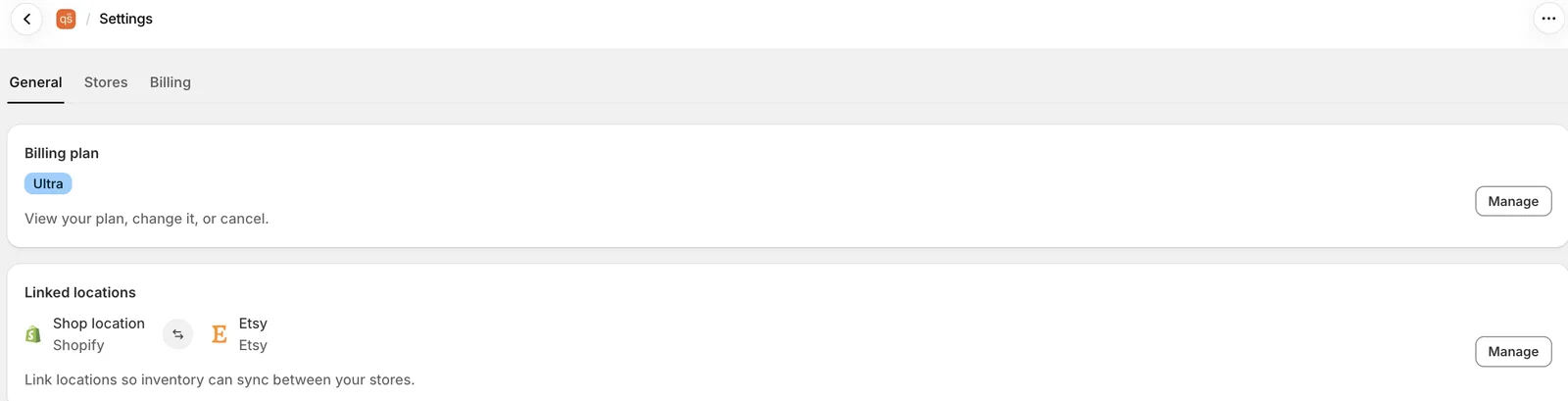
Setup varies slightly depending on the app you choose, but the overall flow stays the same. From the Shopify admin, go to the App Store and add the Etsy integration app you have chosen; then sign in with both your Etsy and Shopify accounts to connect the two stores. From this point on, before syncing your entire catalog, be sure to review the SKU matching report; most apps show you unmatched products as a separate list before setup begins. Fixing unmatched products by hand and rescanning takes far less time than starting the first sync with messy data. Once your catalog is matched, you choose which sync layers (products, inventory/price, reviews) to turn on one by one, define your price rule and, finally, use a test product to confirm that a stock change really is reflected in both directions.
Integration or Migration?
Confusing these two concepts can even lead you to buy the wrong tool. Integration means keeping your Etsy shop open and running it in sync with Shopify; that is the subject of this article. Migration means leaving Etsy completely and moving your brand to Shopify, building your customer data and brand experience on your own channel. We cover this strategic decision, including Etsy's advantages and limits, the fee difference and the hybrid growth model, in detail in our guide to migrating from Etsy to Shopify. For most brands, the right order is to run both platforms together through an integration for a while, wait for the Shopify side to mature, and then gradually reduce dependence on Etsy.
Frequently Asked Questions
Does Etsy have an official app for Shopify?
No. All Etsy integration apps on the market are products of independent developers using Etsy's public API; none of them were officially developed by Etsy Inc.
Are product, inventory and review integrations set up at the same time?
No, they are three separate layers. An app offering product and inventory sync does not necessarily support review integration; you need to verify each layer separately.
What happens if my SKUs are different on Etsy and Shopify?
The integration app cannot match that product, and sync does not work for it; over time, stock levels drift apart. You need to make the SKUs consistent on both platforms before setup.
How can I move my Etsy reviews to Shopify?
You need an app that supports review import (for example, CedCommerce or Shuttle). Not every Etsy integration app has this feature, so confirm before installing that it is clearly offered.
Is an Etsy integration the same as migrating from Etsy to Shopify?
No. Integration means keeping both stores open and running them in sync; migration means leaving Etsy and moving the brand entirely to Shopify. The two serve different goals.
Conclusion
A Shopify Etsy integration is an area that disappoints if you approach it expecting to "install one app and have everything automated". There is no official app, product, inventory/price and review sync are independent layers, and all of them depend on SKU matching being set up correctly. Cleaning up your SKU structure before setup, choosing an app that supports all three layers you need and not starting the first sync with messy data are the three steps that save the most time in this process.
If you would like to plan your Etsy and Shopify integration, SKU structure and sync setup end to end, get in touch with our team about our Shopify integration solutions service. If you are considering leaving Etsy completely and growing your own brand, you can read our guide to migrating from Etsy to Shopify, and to see the other integration categories, take a look at our guide to Shopify integrations.